Best iPad Apps for Songwriting in 2026: One Pick per Job
Published
The best iPad apps for songwriting by job: lyrics with Apple Pencil, demos in GarageBand or Logic Pro, notation, beats and practice, with prices checked.
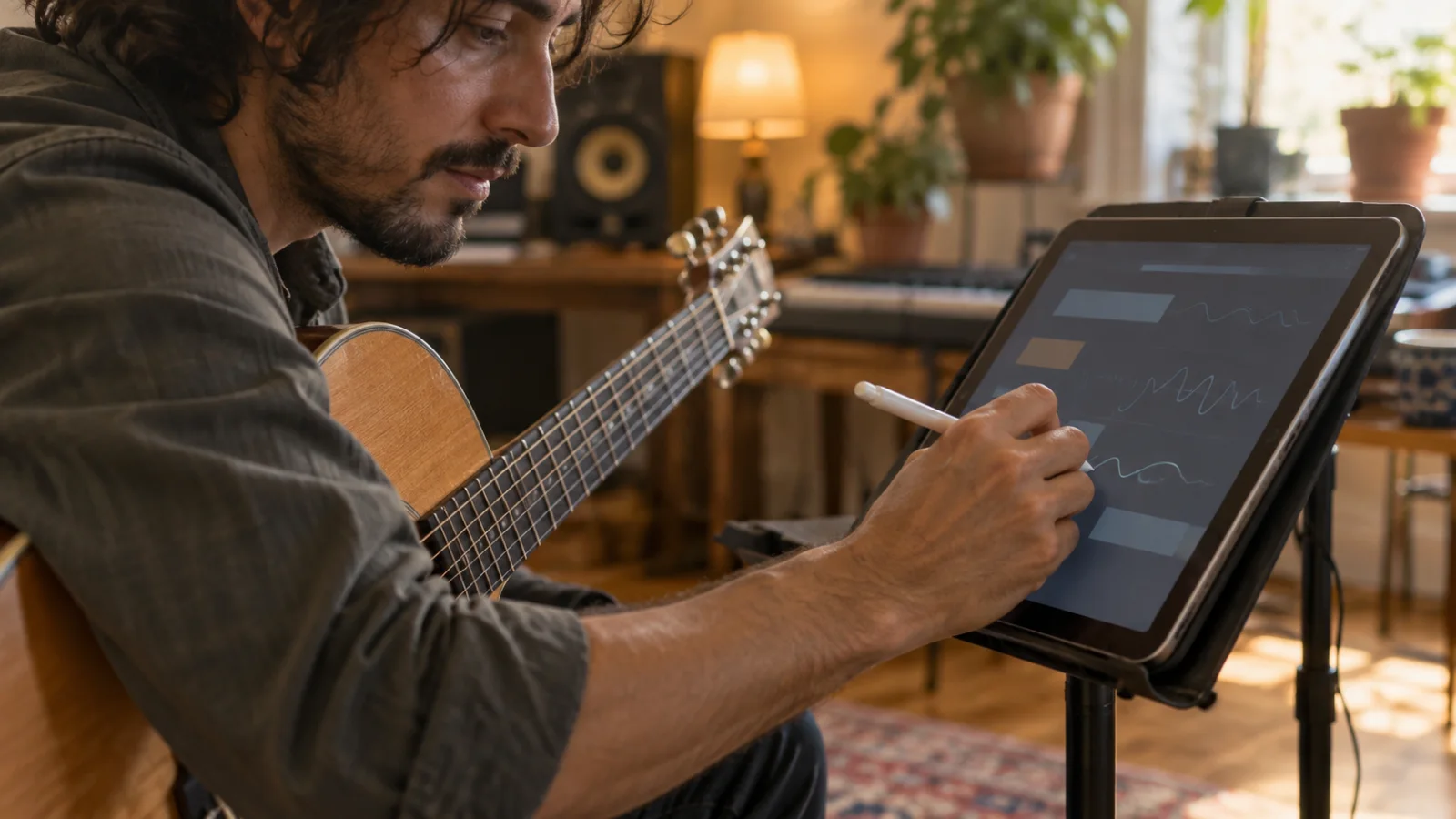
The best iPad apps for songwriting use what an iPad has and a phone lacks: a big screen, Apple Pencil, two apps side by side and a USB-C port for real audio gear. One pick per job:
- Write lyrics and chords: Apple Notes, free and built in. Write by hand with Apple Pencil, turn it into typed text with Scribble and search your handwriting later.
- Sketch and record ideas: GarageBand, free, with Touch Instruments, Drummer, Live Loops and up to 32 tracks.
- Produce a demo in a DAW: Logic Pro for iPad, with Session Players and Apple Pencil editing, by subscription. For a one-time price, Cubasis 3.
- Write sheet music: StaffPad ($49.99), which turns handwritten notes into notation. The free option is Notion, the notation app.
- Practice and perform: forScore ($24.99), a sheet music reader with Pencil annotations and setlists.
For beats, add Koala Sampler ($4.99), which also opens inside GarageBand. To keep each song’s lyrics, notes and takes together next to the DAW, Zoundroom opens in the iPad’s browser.
iPad songwriting apps compared: price, Apple Pencil and trade-offs
Every row comes from the app’s official App Store listing, the developer’s site or Apple’s documentation, checked on September 28, 2026. The criteria: the job each app does best, the price or free plan on the US App Store (prices vary by country and change with promotions), what the official documentation says about Apple Pencil, and what you give up. This compares what each product documents, not a hands-on test.
| App | Best job | Price or free plan (US) | Apple Pencil | What you give up |
|---|---|---|---|---|
| Apple Notes | Lyrics and chord ideas by hand | Free, built in | Handwriting, Scribble, handwriting search | Not a song project; chords are plain text |
| GarageBand | Sketches and first demos | Free; iPadOS 26 | Not mentioned | 32 tracks; Apple devices only |
| Logic Pro for iPad | Full production | Apple Creator Studio $12.99/month or $129/year, first month free | Precise edits, automation, choosing takes | A subscription; A12 Bionic chip or later |
| Cubasis 3 | Full DAW at a one-time price | $29.99 upfront | Not mentioned | Many sounds are in-app purchases |
| FL Studio Mobile | Beats and full tracks | $14.99 upfront | Not mentioned | No AUv3 support listed |
| Koala Sampler | Beats from your own samples | $4.99 upfront | Not mentioned | Not a song recorder |
| BandLab | Free multitrack with Android bandmates | Free; membership from $14.99/month | Not mentioned | Ads; built around its community |
| StaffPad | Handwritten notation | $49.99; iPad and Mac only | Its main input | No free version |
| Notion (notation) | Notation and guitar tab | Free; Feature Bundle $14.99 | Handwriting in the paid bundle | Handwriting is paid |
| forScore | Reading and marking charts | $24.99 | Annotate without switching modes | Does not write or record |
| Zoundroom | Each song’s lyrics, notes, takes and files | Free: 2 active projects; Pro €7.99/month | No Pencil features | Not a DAW, no notation; iPhone app, so browser on iPad |
“Not mentioned” means the official pages say nothing about Apple Pencil; you can still tap with it. Naming traps: look for “Notion: Music Notation & Tab”, not the Notion notes app, and for “Logic Pro: Make Music”, the App Store name of Logic Pro for iPad.
Write lyrics and chords: Apple Notes with Apple Pencil
Choose it if: you think better with a pen and your ideas arrive as scribbles, arrows and crossed-out lines.
Apple’s iPad guide documents three things a songwriter uses in Notes: the Scribble tool, to the left of the pen, turns handwriting into typed text as you write; Notes searches handwritten text in supported languages; and Copy as Text pastes selected handwriting into another note or app. Write the verse by hand, draw arrows to move lines, then copy the final words as text.
For chords above the words, paste the lyric into the free chord sheet maker with each chord in brackets, like [G]this, transpose it and choose “Print or save as PDF”: that PDF is what you open in forScore. In a second window, the lyric syllable counter checks whether two lines match and the rhyming dictionary finds the missing word.
Limit: a note is not a song project: the take lives in another app, and chords written as text do not play. To hear them, compare chord progression apps (Hookpad runs in the browser, but its page mentions no iPad app); for lyric apps, see the best songwriting apps for lyrics.
Sketch and record ideas: GarageBand
Choose it if: you want to hear the idea with drums and chords tonight, without paying.
GarageBand is free on iPad and needs iPadOS 26 and 1.9 GB. Its listing names Touch Instruments, Drummer, Live Loops, a free Sound Library, amps for guitar or bass, Audio Unit extensions and up to 32 tracks. On the iPad’s screen the instruments and the Tracks view have more room. A quick start: set the tempo, add a Drummer, record four bars of chords with a Touch Instrument, then sing the melody in the Audio Recorder.
Limit: 32 tracks and Apple devices only, so a bandmate on Android cannot open the project. Recording several inputs at once requires a compatible third-party audio interface. A GarageBand song keeps the arrangement, not which verse changed or which take you preferred. For the full process, see how to make a demo in GarageBand.
Produce a demo in a DAW: Logic Pro, Cubasis and beat apps
Logic Pro for iPad: the most complete option
Choose it if: you want to take a song to a mix you can send, and you accept a subscription.
The listing mentions Apple Pencil for precise edits, automation and choosing takes, six Session Players, Stem Splitter, Chord ID and third-party Audio Units. Logic Pro for iPad is part of Apple Creator Studio: $12.99 a month or $129 a year, first month free for new subscribers, three months free with a new iPad or Mac. The listing also shows Logic Pro for iPad in-app purchases at $4.99 and $49.
Limit: iPadOS 26 and an A12 Bionic chip or later; Apple’s list starts at iPad (8th generation), iPad mini (5th generation), iPad Air (3rd generation) and the first 11-inch iPad Pro. No lyric or notes feature is listed.
Cubasis 3: one price, unlimited tracks
Choose it if: you want a full DAW and no subscription.
On September 28, 2026, Cubasis 3 cost $29.99 upfront on the US App Store (iPadOS 17.7 or later). Its listing names unlimited audio and MIDI tracks, up to 24 assignable physical inputs and outputs, AUv3 with multi-out, Stage Manager support and the DAWproject format for moving projects to other DAWs.
Limit: many sounds are extra in-app purchases, such as HALion Sonic Selection at $19.99.
FL Studio Mobile and Koala Sampler: songs that start from a beat
FL Studio Mobile ($14.99) records audio, has a piano roll and step sequencer, and saves .flp projects for FL Studio on a computer. Its listing mentions Inter-App Audio and Audiobus, not AUv3.
Koala Sampler ($4.99) records up to 64 samples, exports WAV or an Ableton Live Set and works as an AUv3 plugin in GarageBand, Logic and Cubasis; it is a beat machine, not a place for lyrics. To rebuild a beat for an existing song, get its key and tempo from the song key and BPM finder.
BandLab: when your bandmates use Android
BandLab is free on iPad (iPadOS 16 or later), with unlimited multitrack projects and free cloud storage; membership starts at $14.99 a month, and it contains ads. Compare it in BandLab alternatives and the best Android apps for songwriting.
Sheet music and notation: StaffPad or Notion
StaffPad: handwriting that becomes a score
Choose it if: you write parts for strings, horns or a choir and think on staff paper.
StaffPad costs $49.99 and runs on iPad (iPadOS 14.5 or later) and Apple silicon Macs. On-device machine learning turns handwritten notation into typeset music, Piano Capture converts piano playing into notation, and it exports MusicXML, MIDI, audio and PDF. Its site asks for an Apple Pencil and an iPad from 2018 or later.
Limit: no free version, and a pop band usually reads a lyric with chords, not a score.
Notion: free notation and tab
Choose it if: you want notation or tab without paying first.
The free version includes unlimited staves, all editing features, core sounds, an on-screen keyboard, fretboard and drum pad, and export to MusicXML, MIDI, PDF and audio. The $14.99 Feature Bundle adds handwriting recognition powered by MyScript and pressure-sensitive Apple Pencil support.
Limit: without the bundle you enter notes by touch.
Practice and perform: forScore and free browser tools
Choose it if: you rehearse or play live from charts.
forScore costs $24.99 (iPadOS 18 or later). Its site describes importing PDFs, annotating with Apple Pencil without switching modes, setlists, playing along to an audio track and page-turning devices; forScore Pro is optional at $14.99 a year. Open the chord sheet PDF, mark the dynamics and add the song to a setlist.
For the rest, free tools run in Safari and keep the audio on your device: the online guitar tuner, the tap tempo metronome and the what key should I sing in tool. To order the songs, use the setlist maker.
Limit: forScore reads and marks music; it does not write or record it.
Make your iPad a songwriting desk
Put the lyric next to the DAW
In iPadOS 26, go to Settings > Multitasking & Gestures and choose Windowed Apps. Then drag a second app from the Dock, the App Library or Spotlight to the left or right edge to use both side by side. From iPadOS 26.2, a Slide Over window stays on top of the others. Stage Manager, where your iPad offers it, groups windows by task. Put the DAW across most of the screen and the lyric in a narrow window: loop the chorus and rewrite a line without switching apps.
Apple Pencil: where it helps
The Pencil earns its place in handwritten lyrics (Notes), notation (StaffPad, Notion), precise edits and automation (Logic Pro) and marked-up charts (forScore). The listings for GarageBand, Cubasis, FL Studio Mobile, Koala, BandLab and Zoundroom do not mention it: buy a Pencil for writing, not for a touch-only DAW.
Audio interfaces, microphones and USB-C
Apple lists USB microphones, MIDI controllers and audio interfaces for the iPad’s USB-C port. In GarageBand’s Audio Recorder, tap Input Settings and turn on Automatic; with two inputs, choose Input 1, Input 2 or Stereo. With an external device connected, the Monitor button becomes active: use wired headphones, because Bluetooth adds delay. Aim for peaks around −12 dBFS, a hand span (15–20 cm, 6–8 in) from the microphone; more in how to record vocals at home.
AUv3: instruments that open inside your DAW
Audio Unit extensions (AUv3) let one app run inside another. GarageBand, Logic Pro and Cubasis host them, and Koala Sampler runs as one in all three, so a beat built in Koala inside GarageBand plays on a track of the song instead of in a separate app.
Files and iCloud Drive
GarageBand’s My Songs browser has iCloud Drive in its sidebar, and Save to Files keeps a copy in the GarageBand for iOS folder under On My iPad. To send a mix, share it as Song and choose the quality. Name each export so you find it in a year, like “Night Kitchen – chorus idea – 2026-09-28”; the song file name generator builds such names.
A 20-minute test to choose your iPad kit
Use your own idea, not a tutorial project:
| Minutes | Do this | What it tells you |
|---|---|---|
| 0–5 | Write a four-line verse by hand in Notes, a chord over each line | Whether handwriting beats typing for you |
| 5–10 | Record one sung take in GarageBand or Logic, with wired headphones | How many taps stand between idea and recording |
| 10–15 | Sketch a beat under it: Drummer, Session Players or Koala | Whether the groove arrives before you lose the melody |
| 15–20 | Put lyric and DAW side by side, export the mix to Files, reopen both | Whether you would find the words and the right take tomorrow |
Nothing ready? Test with this verse over G–D–Em–C:
G                            D
Keys on the counter of an empty kitchen,
Em                          C
radio still on the station you chose
For a backing, loop the chords in the chord progression player at 90 BPM in a Slide Over window. Keep the apps that made the next step obvious.
Where Zoundroom fits on iPad
Zoundroom keeps each song as a project with its recordings, lyrics, notes and files, and on an iPad its place is the window next to your DAW. Its App Store app is for iPhone only, so on iPad you sign in with the same account in Safari and open the song’s project beside GarageBand or Logic: the current lyric, the notes on what to change and the takes behind them. On your iPhone, record new sung ideas inside a note, so the audio lands at the cursor under the line it belongs to, and import the mix you saved from GarageBand to iCloud Drive into the same project. Zoundroom is not a DAW: it does not mix, master, add effects, correct pitch or record multitrack, and it has no notation, Apple Pencil features or tuner, so production stays in GarageBand, Logic or Cubasis. Free covers up to 2 active projects, limited files, basic recordings and notes, and sharing with up to 2 artists; Pro (€7.99/month or €59.99/year) adds unlimited projects and files, timestamped feedback, custom tags and sharing with up to 5 artists, with a 7-day Pro trial offered at the end of the solo artist onboarding; Band (€19.99/month or €149.99/year) covers up to 7 members. Next step: create a project for the song you are arranging tonight, paste its lyric into a note and keep it open beside the DAW. Compare plans and pricing or see how it works in the browser.
If you write mostly on a phone, the best iPhone apps for songwriting and recording cover capture on the go, and the music-making apps comparison adds apps with and without generative AI.
Frequently asked questions
Is the iPad good for songwriting?
Yes, from the first draft to the demo: a lyric and a DAW fit side by side, Apple Pencil makes handwriting and notation practical, and USB-C takes a microphone or interface. An iPhone is still quicker for catching an idea on the street.
Is Logic Pro free on iPad?
The download is free, but Logic Pro for iPad is sold by subscription: Apple Creator Studio costs $12.99 a month or $129 a year, with a free first month for new subscribers. The listing also shows Logic Pro for iPad purchases at $4.99 and $49. GarageBand is Apple’s free DAW.
GarageBand on iPad vs iPhone: what changes?
It is the same free app, with the same features and up to 32 tracks on both. The iPad adds room and a second window for the lyric; songs move between devices through iCloud Drive.
What is the best free songwriting app for iPad?
GarageBand for sketches and demos, plus Apple Notes for handwritten lyrics. Notion adds free notation and tab, and BandLab a free studio your bandmates can open on Android.
Do I need an Apple Pencil for songwriting on iPad?
Only for handwriting: lyrics in Notes, StaffPad and Notion’s bundle. For recording and arranging, a finger or a MIDI controller is enough.
Sources
Official pages checked on September 28, 2026:
- Apple — GarageBand, App Store listing and GarageBand for iPad User Guide: Audio Recorder, other music apps and Audio Unit extensions and sharing songs
- Apple — Logic Pro: Make Music, App Store listing, About Logic Pro for iPad and Apple Creator Studio
- Apple — Multitask on iPad, add drawings and handwriting in Notes on iPad and the USB-C port on your iPad
- Steinberg — Cubasis 3, App Store listing and Cubasis official page
- FL Studio Mobile — App Store listing
- Koala Sampler — App Store listing
- BandLab — App Store listing
- StaffPad — App Store listing and official site
- Notion: Music Notation & Tab — App Store listing
- forScore — App Store listing and official site
- Hooktheory — Hookpad
- Zoundroom — App Store listing