
Best Android apps for songwriting in 2026: choose by job
Published · Updated
Compare Android apps by the job you actually need: capture an idea, preserve context, write lyrics, work with chords, or turn the draft into production.
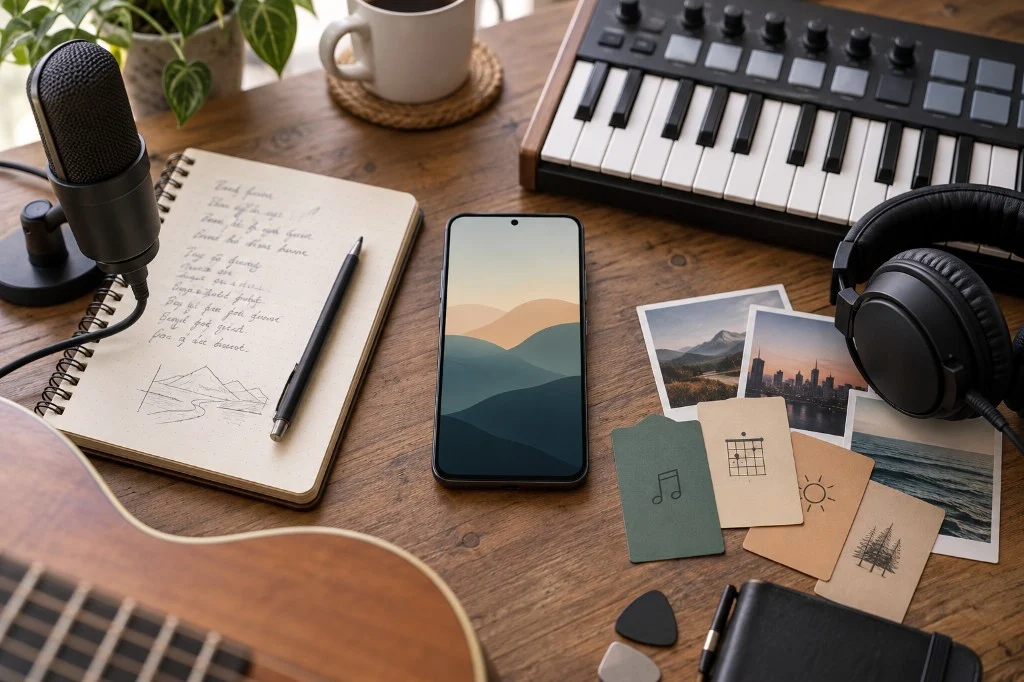
For songwriting on Android, compare three needs first: capturing an idea, developing lyrics and recordings, or producing a multitrack demo. This guide compares Keep, Dolby On, Zoundroom, Docs, BandLab and FL Studio Mobile around those tasks.
Selection criteria
Compare each tool across five dimensions:
- Capture: Can you get an idea out of your head with little setup?
- Writing: Does it help you work on lyrics, structure, or songwriting decisions?
- Context: Can you return to a song and understand which audio, lyric, notes, and decisions matter now?
- Collaboration: Does it help when someone else needs to read, hear, or work with you?
- Production: Can it edit, sequence, or build audio once the problem has become sonic?
One app may cover several dimensions, but they are not interchangeable. A fast recorder does not have to manage a song, and a DAW does not have to be the best place to decide a line.
Quick guide by job
| Main job | Option to consider | Strength | First task to try |
|---|---|---|---|
| Capture a small idea | Google Keep | Low-friction note, list, or voice note | Save a lyric line and a spoken reminder of its rhythm |
| Record an audio reference | Dolby On | Mobile audio capture with recording-oriented processing | Record a verse and listen to the processed vocal |
| Keep song context | Zoundroom | Song project with audio, lyrics, notes, and related files | Record a melody inside the note containing its lyric |
| Write shared text | Google Docs | Editable document and text collaboration | Revise four lines with a co-writer |
| Build a collaborative demo | BandLab | Multitrack studio and collaboration | Build a guide vocal over a rhythm track |
| Produce on mobile | FL Studio Mobile | Mobile sequencing and production | Sequence an eight-bar melody and export the sketch |
Google Keep: fast capture while the idea is still small
Google Keep fits when the urgent job is to save a phrase, list, or voice note and get on with your day. It is a useful front door before there is a project worth organizing. Once an idea accumulates takes, lyrics, comments, or structural decisions, you need to decide where that context lives instead of scattering it across separate notes.
Best fit: lyric sparks, reminders, and short voice notes.
Dolby On: an audio reference from the phone
Dolby On is built around recording audio and video on a phone and includes recording-oriented processing such as noise reduction, EQ, and styles. That makes it useful when the important thing is to preserve how an interpretation sounds rather than merely describe it in text.
Best fit: quick vocal or instrumental references.
Zoundroom: lyrics and recordings in one song project
On Android, create a Zoundroom song project and write four chorus lines in a note. Record a melody directly inside that note, then play it while you revise the words. To use an existing phone recording, import the file into the project and insert that audio into the note. Name a second take after the change you tried and invite a co-writer when you want another perspective. With an internet connection, you can also open the project in the browser.
While you write the lyric in the app, rhymes for the line that still needs a pair appear above the keyboard when you finish a line (rhymes while you write), and «Chords» puts each chord over its syllable and plays it on guitar, piano or ukulele (chords over the lyrics). In the browser, you also get the rhymes and put the chords over the lyric and hear them, with the same account.
So an idea never has to wait, add the «Record idea» widget to your home screen (or the «Ideas» widget, with your latest ideas) or put «Record idea» in your quick settings: you record without opening the app, and the idea uploads itself to your «Ideas» project when you next open Zoundroom (record without opening the app).
Best fit: songs in progress with multiple materials, open decisions, or collaborators.
In Zoundroom, start with recording or importing an idea, then keep the lyrics beside the audio. You can also work on the same song from your browser.
For a phone-first workflow, see how to record and develop a song on Android.
Google Docs: when the bottleneck is shared text
Google Docs works well for writing and reviewing text with other people, and Google documents offline work on Android. For a lyric-focused session, that may be exactly the right scope. The limitation appears when the team needs to relate that document to several audio references, context notes, and the overall state of the song.
Best fit: a shared lyric or written brief.
BandLab: when the song needs audio layers
BandLab provides a studio environment with recording, editing, effects, and collaboration. It makes sense when the question has become “how does this demo work with layers?” rather than only “which line or structure should we choose?”. That depth is a strength for production, but it can introduce arrangement and mix decisions before the underlying idea is settled.
Best fit: multitrack demos and collaborative audio creation.
FL Studio Mobile: deeper mobile production
FL Studio Mobile is designed as a production environment for creating, sequencing, and mixing music on mobile. It fits when you want to build an arrangement or work on sound without moving to a desktop first. If your real friction is remembering which lyric is current or what experiment to run tomorrow, that production depth does not remove the need for somewhere to keep that context together.
Best fit: mobile production and sequencing.
Three practical stacks
1. Solo songwriter who captures many ideas
- Google Keep or Dolby On for fast capture.
- Zoundroom when an idea becomes a song and needs lyrics, audio, notes, and next steps together.
- A DAW only when the decision moves into arrangement or production.
The goal is to avoid turning every spark into a complex project too early.
2. Co-writing or a band
- Google Docs if you need a familiar shared text surface.
- Zoundroom to keep the song project, references, and shared context together.
- BandLab or the DAW your team already uses to build the demo.
Agree on the state reference: which place answers “what are we listening to, and what is still open?”.
3. Producer who writes inside the audio
- FL Studio Mobile or BandLab as the main production environment.
- A lightweight note tool for occasional text capture.
- Zoundroom only if you also need to separate songwriting context, feedback, or decisions from the production session itself.
Do not add a layer because it exists; add it when it prevents a specific loss of context.
Avoid duplicate work
- Define one fast entry point for ideas.
- Decide where the current state of each song lives.
- Do not copy the same lyric into three places unless collaboration gives you a clear reason.
- Open the DAW when the next decision is about arrangement, performance, or sound.
- After producing a new reference, record what changed and the next step in the place your team recognizes as the song context.
If app choice is no longer the main problem and you need a system for many songs, continue with the music project organization guide.
Official sources
- Google Keep Help — create or edit a note
- Dolby On — official app page
- Google Docs Help — work offline on Android
- BandLab Help — Studio
- BandLab Help — collaboration
- FL Studio Mobile — official page
- Google Play — Zoundroom
Documentation reviewed: 2026-09-17.