Record the idea before it slips away.
Without opening the app.

One tap on the widget, in Control Center or on the Action button and you are recording, even with your phone locked. The idea saves itself to your «Ideas» project.

Download Zoundroom free · App Store Download Zoundroom free · Google Play

Scan with your phone’s camera to download Zoundroom.

App Store
Google Play
How to set it up on your phone

iPhone with iOS 18 or later, and Android

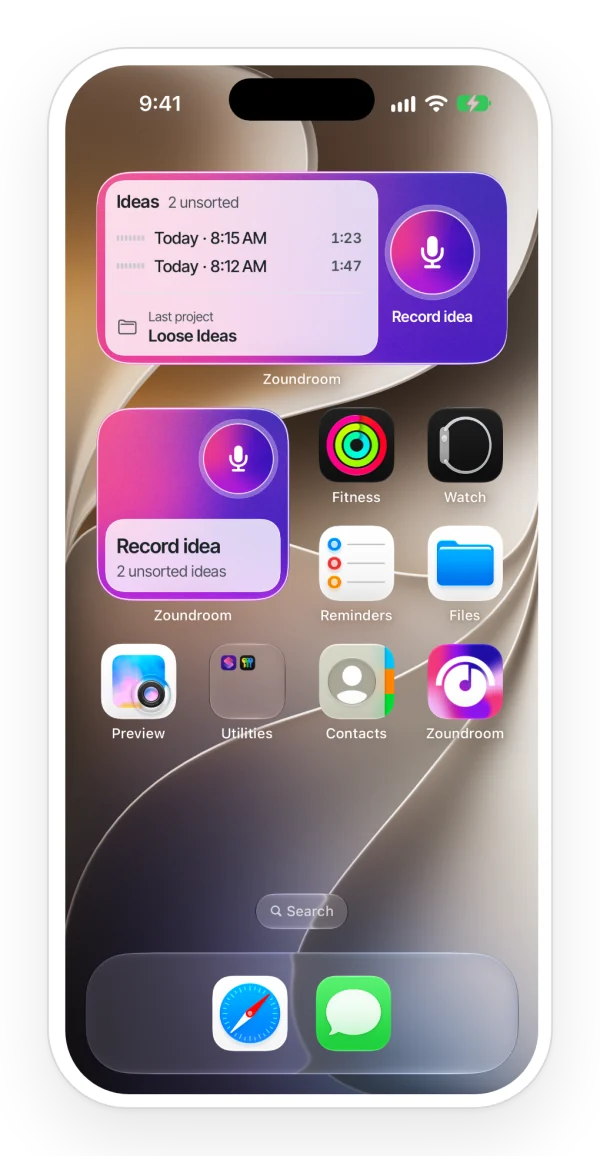
An iPhone home screen with the Zoundroom widgets in two sizes: a Record idea button and the latest unsorted ideas, next to the app icon.

The widget on your Home Screen

  • Small, medium or large. Tap the mic and it records; tap again and it stops.
  • The medium and large ones show your latest ideas with their waveform, how many are unsorted and your last project. One tap and it opens.
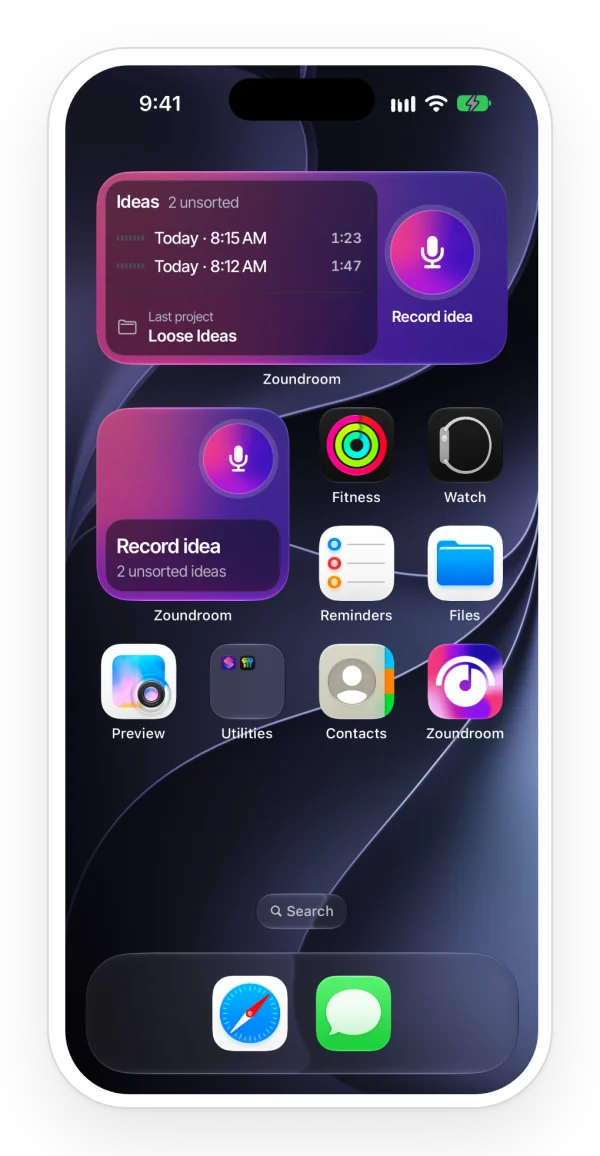
  • In Zoundroom’s colors, light and dark, and with the tint of your Home Screen too.
The same Zoundroom home screen widgets in dark mode, next to the app icon.

On iPhone, also from Control Center and the Action button

  • Add «Record idea» to Control Center, the Lock Screen or the Action button (iPhone 15 Pro and later).
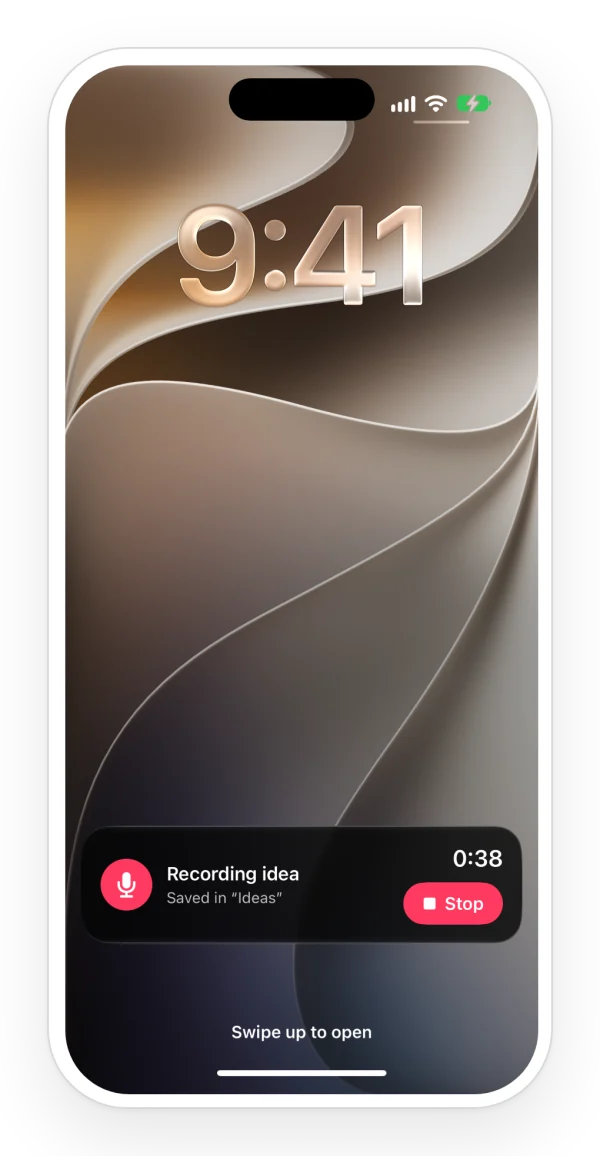
  • While you record, you see the time and «Stop» on the Lock Screen and in the Dynamic Island, if your iPhone has one.
  • You need iOS 18 or later.
The iPhone lock screen with Zoundroom’s Live Activity recording an idea, with its timer and a Stop button.

On Android: widget and Quick Settings tile

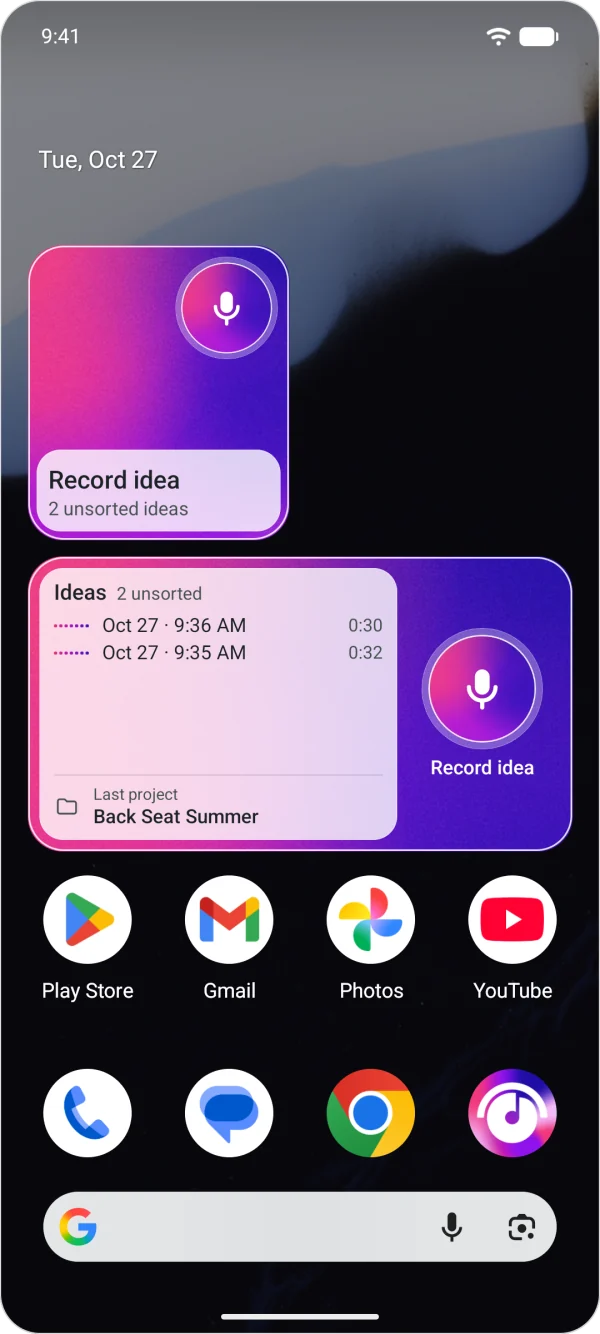
  • The «Record idea» widget and the «Ideas» widget, with your latest ideas and your last project.
  • The «Record idea» tile, in Quick Settings.
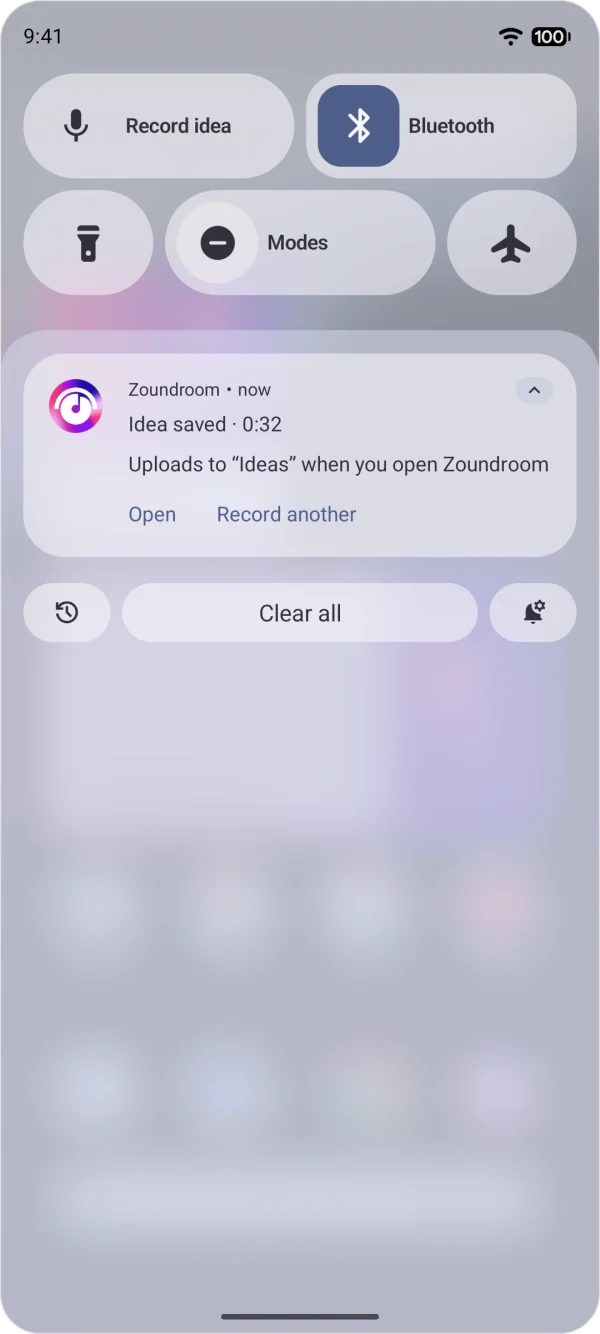
  • A notification with the time and «Stop» while you record.
An Android home screen with the Zoundroom widgets to record an idea with one tap and see your latest unsorted ideas, next to the app icon.

Nothing gets lost

  • The idea is saved on your phone and uploads itself the next time you open Zoundroom.
  • It records offline too: the idea waits on your phone until you are back online.
  • If you have reached your plan’s limit, it is not deleted: the app asks you where to save it.
Zoundroom’s notification on Android after stopping a recording: the saved idea, its length and buttons to open it or record another.

What about Voice Memos?

It records just as fast, but the idea stays in a loose list. In Zoundroom it ends up in your project, with its waveform, ready to move into the song, write the lyrics next to it and share it with your band.

How to set it up

Set it up once and it stays one tap away.

On iPhone

iOS 18 or later

Home Screen

  1. Touch and hold an empty area
  2. «Edit»
  3. «Add Widget»
  4. Zoundroom
  5. Choose the size
  6. «Add Widget»

Control Center

  1. Open Control Center
  2. Touch and hold an empty area
  3. «Add a Control»
  4. Zoundroom
  5. «Record idea»

Lock Screen

  1. Touch and hold the Lock Screen
  2. «Customize»
  3. Tap one of the controls at the bottom
  4. «Record idea»

Action button · iPhone 15 Pro and later

  1. «Settings»
  2. «Action Button»
  3. «Controls»
  4. Zoundroom

On Android

Home screen

  1. Touch and hold the home screen
  2. «Widgets»
  3. Zoundroom
  4. «Record idea» or «Ideas»

Quick Settings

  1. Swipe down twice from the top
  2. Tap the pencil
  3. Drag «Record idea»

On iPad you can add the widget too: when you tap the mic, Zoundroom opens and starts recording.

Who it’s for

For anyone who writes songs anywhere: the melody that comes to you in the car, the riff at soundcheck or the chorus at three in the morning.

Frequently asked questions

Do I have to open the app for it to upload?

Yes. The idea stays on your phone until you open Zoundroom; then it uploads itself to «Ideas», and you also see it in the browser, at app.zoundroom.com.

Which iPhones does it work on?

Any iPhone with iOS 18 or later. The Action button, on iPhone 15 Pro and later.

What about iPad?

You can add the widget. When you tap the mic, Zoundroom opens and starts recording right away.

Does it count toward the limit of the Free plan?

Yes: each idea counts as a file. If you reach the limit, the idea is not lost: it stays on your phone and the app asks you where to save it.

Does it work offline?

Yes. It records without internet; the idea waits on your phone and uploads when you open Zoundroom with a connection.

How do I add the widget?

On iPhone: touch and hold an empty area of the Home Screen → «Edit» → «Add Widget» → Zoundroom. On Android: touch and hold the home screen → «Widgets» → Zoundroom.

The next idea, one tap away.
Start free with Zoundroom.

Download Zoundroom free · App Store Download Zoundroom free · Google Play

Scan with your phone’s camera to download Zoundroom.

App Store
Google Play