Zoundroom is where you write the song itself: the words with rhymes as you go, the chords over each syllable and the take where you sing it, in one note. Each song keeps its own project, on your phone and in the browser.
Updated:
Finish a line and the rhymes for the one that still needs a pair appear above the keyboard. The ones that fit your syllable count carry a dot; tap one and it goes in. Rhymes follow the language of your lyric, are free and work offline on the phone.
How rhymes work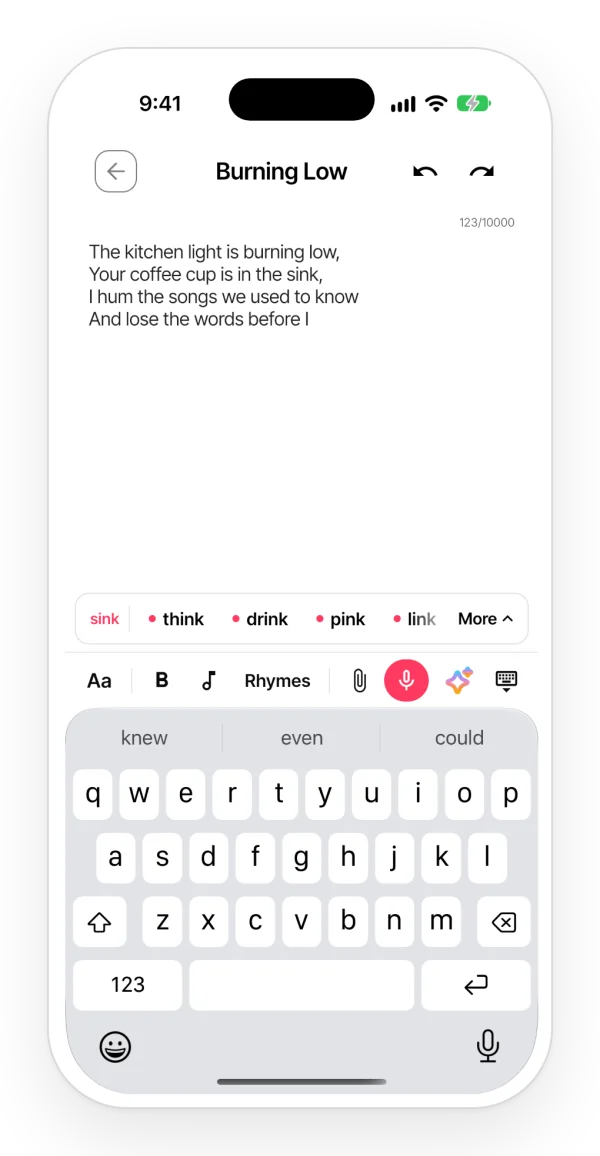
Open the chord bar and tap a chord to place it over the word where it changes. On the phone you can hear it on guitar, piano or ukulele, change the key or the capo, and open Play mode to see the lyric scroll at the song’s tempo.
Chords over lyrics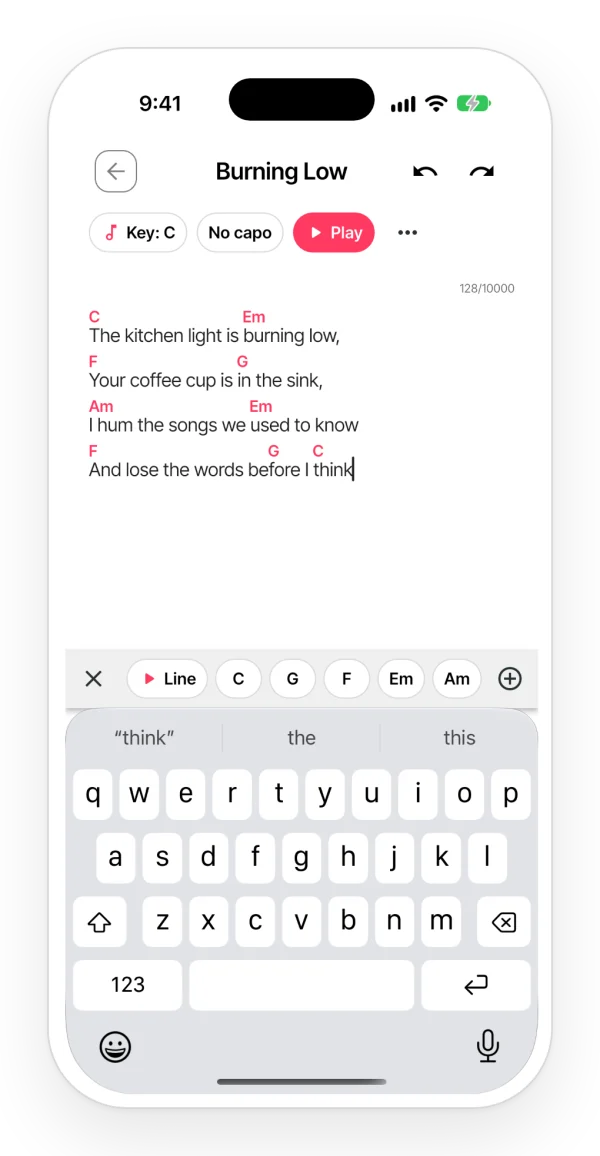
Tap the microphone in the note and sing: the take goes in right where your cursor was, under the lines it belongs to. Press play to hear every take in order while you change a word. Voice memos you already have can be imported into the song too.
Notes and lyrics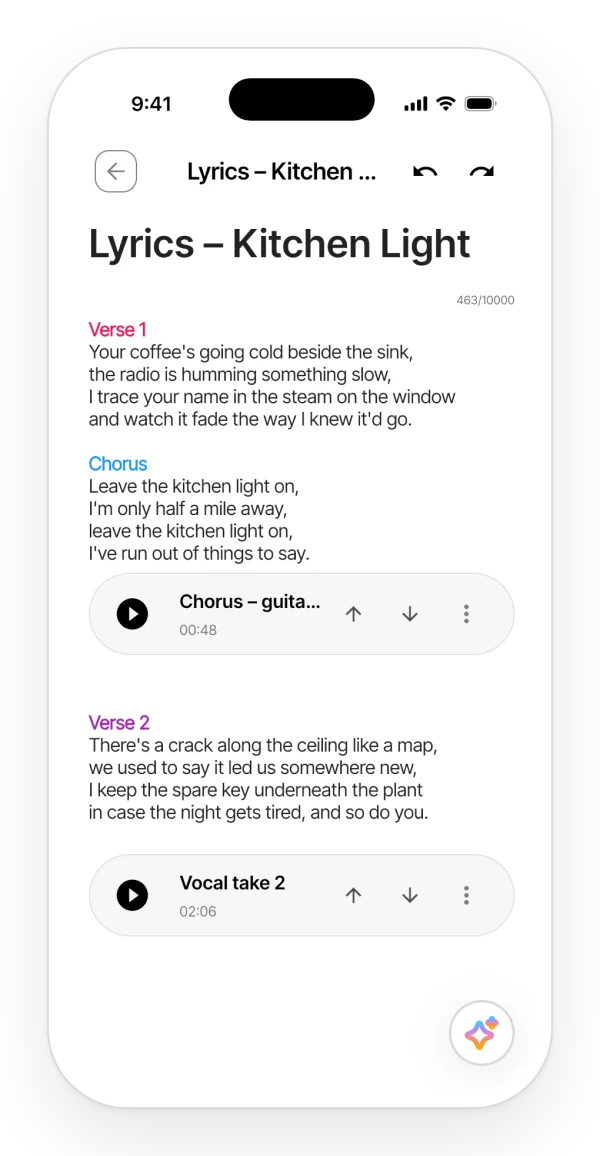
With the Zoundroom widgets on your iPhone or Android home screen, one tap starts recording without opening the app, or opens a new note ready to type. Everything lands in Ideas, ready to sort into a song later.
Record without opening the app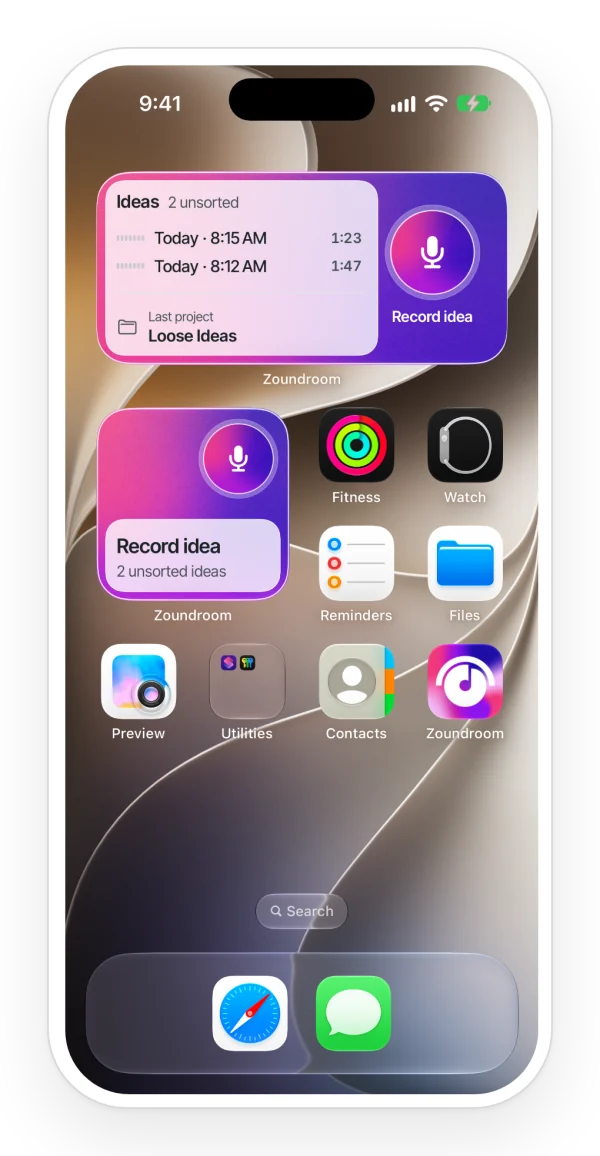
Move each idea into its song: the project keeps the lyric, the takes, the notes and the files together. The same account opens it on iPhone, Android and in the browser, and you can share the project with whoever writes with you.
Organize music projects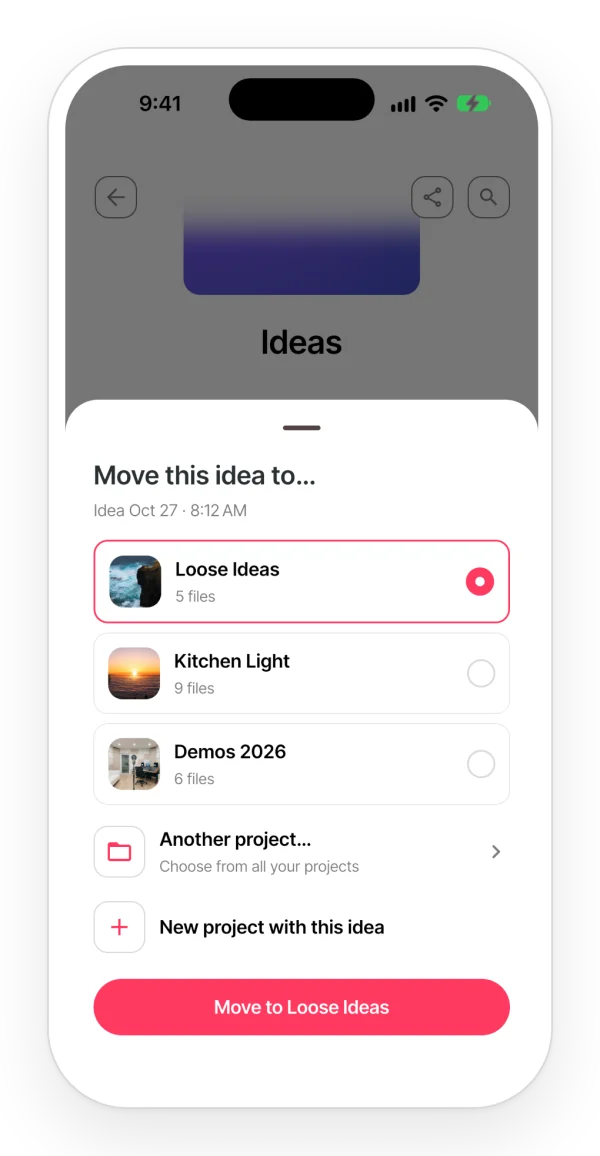
No app does everything. Zoundroom is built for writing the words and the melody together; if your songs stall somewhere else, one of these may suit you better.
| App | Best for | Where it runs | Free version |
|---|---|---|---|
| Zoundroom | Lyric, chords and sung takes in the same note, one project per song | iPhone, Android and browser | Yes: 2 projects and 5 files, rhymes included |
| Phone notes + voice memos | Jotting a line or humming a melody with nothing to install | Built into your phone | Yes, but the lyric and the recording live in separate apps |
| Lyric Notepad | Rhyme colors, syllable counts and a measure mode for flow | iPhone and iPad | Free download with in-app purchases |
| Demo | Writing over chords the app plays for you | iPhone, iPad and Mac | Free download; Demo+ is a subscription |
| BandLab | Turning a finished lyric into a multitrack demo | iPhone, Android and browser | Yes; Membership is optional |
Platforms and plans from each app’s official store listing or website, checked on November 2, 2026.
Read the full comparison, with pricesYes. The Free plan lets you write a real song: up to 2 projects and 5 files, notes of up to 1,000 characters, rhymes and chords over the lyric. Pro is for writing every week, with notes of up to 10,000 characters and up to 1,000 projects; the pricing page shows the price in your currency.
Yes. There are apps for iPhone and Android, and the same account opens your songs in any browser at app.zoundroom.com, with rhymes and chords too. The home-screen widgets for recording without opening the app are only on the phone.
No. Zoundroom is for writing your own songs. When a line stalls, Auralis, the assistant inside the note, reads your lyric and answers in text: a few ways out of the line or a chord progression in your key. It doesn’t generate audio or a voice.
In English, Spanish, Catalan, French, German, Italian and Portuguese. The app picks the language from your lyric, and you can set it by hand for each note.
Yes. Share a song’s project and everyone sees the lyric, the takes and the notes. With the Band plan, one person pays and up to 7 people, that person included, get Pro inside the band’s space.
You can, and many songs start that way. The difference is that in Zoundroom the take sits under the lines it belongs to, rhymes and chords are in the same note, and each song has its own project instead of a list of “New Recording 14”.
