
Best Songwriting Apps for Writing Lyrics in 2026: 5 Compared
Published · Updated
Compare 5 songwriting apps for lyrics on iPhone, Android and web: free plans, prices, recording and rhyme tools, plus what AI full-song apps change.
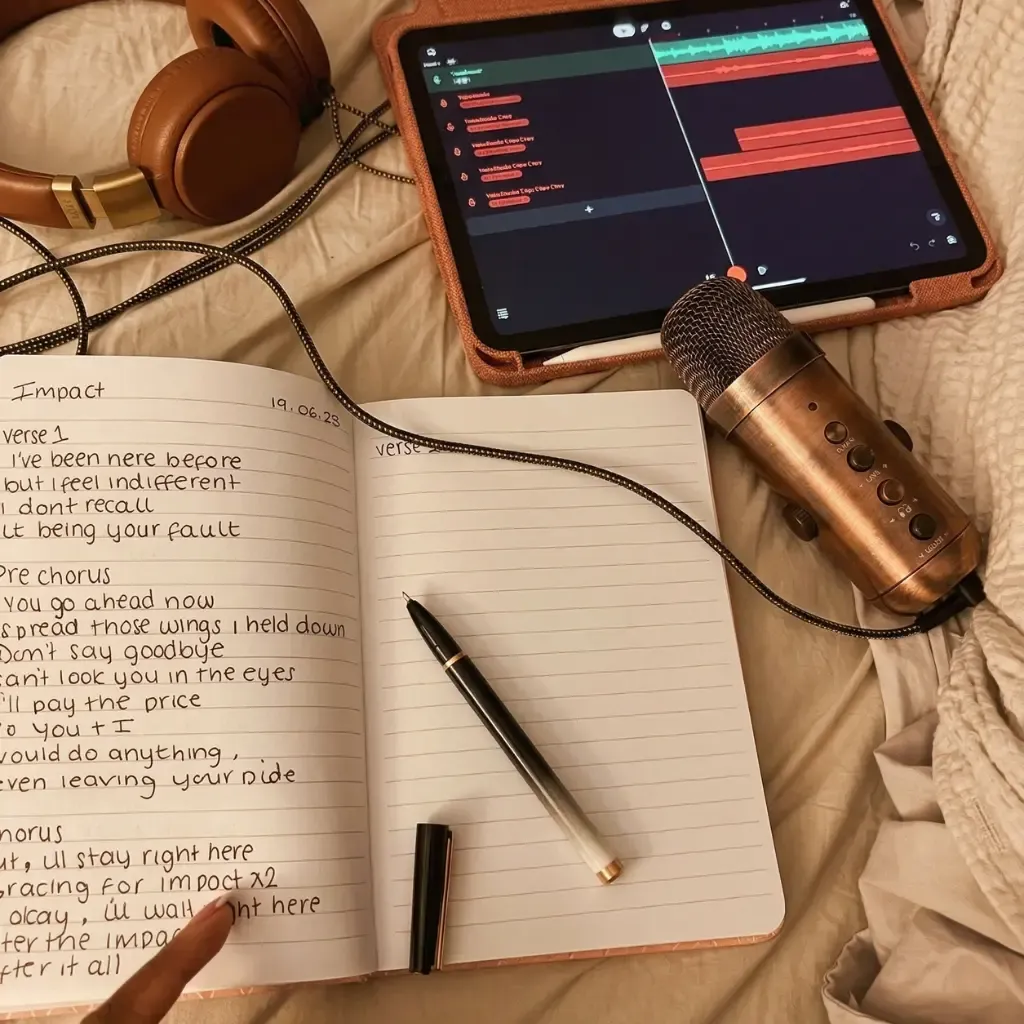
The best songwriting app for lyrics is the one that holds what your words need next. Choose Zoundroom to keep lyrics and your own recordings in the same note on iPhone, Android and the web. Choose Demo (iPhone, iPad and Mac) to write over chords the app plays for you. Choose Lyric Notepad for rhyme colors, syllable counts and a measure mode that lines words up with a beat. Choose Songwriter’s Pad for separate verse, hook and bridge blocks with a rhyming dictionary. Choose BandLab, free on phone and browser, to turn a finished lyric into a multitrack demo.
These apps help you write your own lyrics and develop them with your recordings. For the words to an existing song, use a lyrics lookup service instead. If you want an app that turns your lyrics into a finished song with a generated voice, that is a different kind of tool: jump to apps that turn lyrics into a full song.
Every price, free plan and platform below comes from each app’s official website, store listing or help documentation, checked on September 26, 2026. Store prices are US prices; Zoundroom publishes its prices in euros. The criteria are the ones that matter while you write: where the app runs, what the free plan keeps, whether you can record next to the words, and what help it gives inside the lines.
Songwriting apps compared: free plan, price and platforms
| App | Best for | Platforms | Free plan | Paid from | Recording | Rhyme and syllable tools |
|---|---|---|---|---|---|---|
| Zoundroom | Writing lyrics with the melody recorded inside the note | iPhone, Android, web | Yes: 2 projects, basic recordings and notes | Pro €7.99/month or €59.99/year | Inside the note, at the cursor, plus audio import | Free rhyme dictionary and syllable counter in the browser, separate from the app |
| Demo | Writing over chords the app plays | iPhone, iPad, Mac | Free download; Demo+ unlocks 100+ features | Demo+ $5.99/month or $39.99/year | Multitrack recorder | Rhyme tool |
| Lyric Notepad | Syllables, rhymes and flow | iPhone, iPad, Android | Yes, with ads | In-app purchases from $0.99 to $49.99 | Built-in recorder | Rhyme colors, syllable counter, measure mode |
| Songwriter’s Pad | Verse, hook and bridge blocks with AI ideas | iPhone, iPad, Mac, Android, Windows, web | No (ended November 1, 2025); 3-day trial | $12.99/month or $79/year | Recorder, sing over beats | Rhyming dictionary, thesaurus |
| BandLab | Turning a lyric into a multitrack demo | iPhone, iPad, Android, web | Yes: unlimited multitrack projects | Membership $14.99/month | Multitrack studio | None listed; Lyrics/Notes tab |
The order follows one kind of writer: the songwriter who writes the words and the melody together. Apps that keep the sung idea next to the lyric come first. No app wins every column, so if your songs stall on rhymes, chords or the arrangement, go straight to the app built for that step.
1. Zoundroom: best for writing lyrics with the melody recorded inside the note
Zoundroom keeps the melody inside the lyric: write the lines in a note, tap the microphone (Record on the web) and sing them, and the take is inserted where your cursor was, right under the verse. Press play and every take in the note plays in order, so you hear the melody while you change a word. A voice memo or a GarageBand export you already have is imported into the song’s project and inserted into the note under the lines it belongs to. Each song is a project with its takes, lyrics, notes and files, and the same account opens it on iPhone, Android and in the browser, handy for typing a long verse on a keyboard.
Choose it if: your lyric is in a notes app, the melody is a voice memo called “New Recording 14” and the latest version is somewhere in a chat.
Here is where it fits in a session: you have a chorus and a melody you can hum. Write the four lines in a Zoundroom note, record the melody right under them and, when a second ending comes to you, record it under the first. The next time you open the song, on your phone or your computer, the current lyric and the takes that explain it are on one page instead of in three apps. Start tonight with one unfinished chorus: put the words and one sung take in the same note.
When a line stalls, open Auralis, the writing assistant inside the note. It reads your lyric and answers in text: Get unstuck offers two or three ways out of the line, and Chord Progression writes two progressions with chord symbols in the key you give it. For rhymes and syllable counts, the free rhyme dictionary and lyric syllable counter open in any browser, with or without an account.
Free and Pro: Free lets you try the method with a real song: up to 2 projects, limited files and notes of up to 1,000 characters. Pro (€7.99 a month or €59.99 a year on the web) is for writing every week: notes of up to 10,000 characters, enough for a full lyric with chords and margin notes, up to 1,000 projects and 10,000 files, PDF chord sheets in the song’s Files tab, and comments at the exact second of a take. Pro is 7 days free on iPhone and on the web if you have never tried it: spend that week on the chorus you haven’t finished.
Limit: to build the arrangement with instruments, beats and a final mix, pair it with a DAW such as BandLab or GarageBand.
2. Demo: best for writing over chords on Apple devices
Choose it if: you have words or a vocal idea but no chords, and you write on an iPhone, iPad or Mac.
Demo generates playable chords: build a progression or tap a preset, pick a rhythm, loop it and write lyrics over it with a rhyme tool. Its official tutorial moves from a verse progression to a chorus, a verse-chorus structure, lyrics and vocals, then export. The App Store listing adds a multitrack recorder, export as a mix, stems, MIDI or a chord sheet, iCloud sync, and CoWrite for sharing a song with collaborators.
Limit: Demo is Apple-only; its official site links to the App Store alone. The guided chord-and-rhythm approach is the point, so if your arrangement is already fixed or you need detailed production control, another tool fits that stage better.
Free plan: the app is a free download, and the listing says Demo+ unlocks more than 100 extra features without detailing which ones stay free. Demo+ costs $5.99 a month or $39.99 a year in the US; the yearly plan starts with a 3-day trial.
3. Lyric Notepad: best for rhymes, syllables and flow
Choose it if: the problem is inside the lines: a verse that rushes, rhymes you want to see at a glance, or bars that need to sit on a beat.
Lyric Notepad colors matching rhymes, shows the syllable count of each line in the margin and has a Measure Mode that splits lyrics into quarter measures, with a metronome at your BPM. Word Lookup finds rhymes, near rhymes, definitions and synonyms. A built-in recorder lets you record a performance and move it into the matching section of your notebook.
Limit: automated rhyme and syllable tools are aids, not referees: pronunciation and musical stress still have to be checked by singing. There is no web version, and the stores list it under different developers: ZipoApps on the App Store, and DictionaryAndTranslator on Google Play, where it is called Lyrics Notepad.
Free plan: a free download with ads on both stores. Premium is an in-app purchase; the US App Store shows options from $0.99 to $49.99 without naming each plan, so check the exact price inside the app.
4. Songwriter’s Pad: best for structured drafts with a rhyming dictionary
Choose it if: you think in separate verse, hook and bridge blocks and want rhymes, synonyms and AI ideas beside them.
Songwriter’s Pad combines a song block editor with a rhyming dictionary, a dictionary and thesaurus, a mood-based word bank, and an AI lyric and idea generator in English, Spanish, French and German. You can record vocals over free instrumentals or imported beats and sync songs across devices. It runs on more platforms than any other app here: iPhone, iPad and Mac through the App Store, plus Android, Windows and a web app.
Limit: generated lines can sound plausible and still weaken your point of view. Treat them as raw options to cut or rewrite, never as a finished lyric. If AI ideas are what you’re after, ChatGPT, Claude and other AI lyric writers are compared in a separate guide, with tips for lines that don’t sound generic.
Free plan: none. Its official notice says the free plan ended on November 1, 2025; songs already saved stay viewable. The App Store listing offers a 3-day trial, then $12.99 a month or $79 a year. Its website shows other plan tiers, so compare the price where you actually subscribe.
5. BandLab: best free app for turning lyrics into a multitrack demo
Choose it if: the lyric is ready and you want to record vocals over real parts, alone or with collaborators, without paying.
BandLab is a free studio for phone and browser. Its App Store listing names unlimited multitrack projects, free cloud storage, cross-device syncing, hundreds of virtual instruments, SongStarter for AI song ideas, and AutoPitch. Inside the Studio, a Lyrics/Notes tab lets you write words beside the tracks. Membership adds tools such as AutoMix and Voice Cleaner.
Limit: it is built for production. Its store listing names no rhyme or syllable tools, and opening a studio to fix one line adds friction. The Google Play listing also says the app contains ads. If the ads or the account put you off, the BandLab alternatives guide compares free studios for PC, iPhone and Android.
Free plan: yes, and it is generous for recording. Membership Pro is listed at $14.99 a month in the US App Store.
Which songwriting app should you choose?
Best app if you write lyrics and melody together
Zoundroom. Write the lines in a note, tap the microphone and sing them: the take stays under the verse, and the same song opens on iPhone, Android and the web. If you need chords to sing over before a melody comes, Demo plays them for you on Apple devices.
Best free songwriting app
To try writing with the melody inside the lyric, Zoundroom Free is enough for one or two songs, each with its lyric and takes in the same note. BandLab has the broadest free plan for recording and arranging. Lyric Notepad is free with ads if you mainly need rhyme colors and syllable counts. Songwriter’s Pad no longer has a free plan. Two free tools also run in the browser without an account: the syllable counter and the chord progression player.
Best songwriting app for iPhone
Choose Zoundroom to record the melody inside the lyric’s note and open the same song later on a computer; the songwriting app for iPhone page shows how. Choose Demo if you want the app to play chords under your words. For recording apps too, see the iPhone music apps comparison.
Best lyric writing app for Android
Demo is not on Android; the other four are. Choose Zoundroom to record inside the lyric’s note (songwriting app for Android), Lyrics Notepad for syllables and rhymes, Songwriter’s Pad for blocks and AI ideas, or BandLab for a multitrack demo. The Android songwriting apps guide compares more options by task.
Best songwriting app for beginners
Demo’s listing says no instruments or theory are required, and its chords give you something to sing over from the first minute. If you would rather learn the craft with your own words, follow the step-by-step lyric guide and keep each draft with a sung take in Zoundroom.
Best songwriting app with recording
For a quick take next to the words, choose Zoundroom (inside the note) or Lyric Notepad (built-in recorder). For a harmony over a take you already have, Zoundroom’s multitrack editor (Edit audio) records up to 8 tracks, the original included, inside the song’s project. For a full arrangement with instruments, choose BandLab or Demo’s multitrack recorder. If your ideas start as voice memos with no lyric yet, voice memo and idea-capture apps are compared separately.
Best app for writing songs with a band
Zoundroom shares one project with the lyric, the recordings and the notes; the Band plan puts up to 7 members under one subscription, with timestamped comments. BandLab suits bands that record parts in the same online studio, and Demo’s CoWrite shares a song between collaborators on Apple devices. The apps for bands comparison covers rehearsal tools as well.
Is there an app that turns lyrics into a full song?
Yes. AI song generators such as Suno and Udio take a lyric or a text prompt and return a complete track: melody, arrangement and a synthetic voice. They are a separate kind of tool from the five apps above, which help you write and record your own. The comparison of apps to put music to lyrics sets these generators next to tools that help you write your own melody. This is what the two best-known services document today:
| Service | Free plan | Paid from | Downloads and rights |
|---|---|---|---|
| Suno | 50 credits a day | Pro $8/month billed yearly | Free: no song downloads, no commercial rights, and Suno owns the songs. Pro: 20 downloads a month and commercial use rights |
| Udio | 10 credits a day, up to 100 a month | Annual subscription $96 plus tax (US) | Audio, video and stem downloads disabled since its partnership with Universal Music Group |
What you give up:
- The melody and the voice are not yours. The part listeners remember is generated. A generated version can still show you which of your lines sing easily and which trip.
- Rights depend on the plan and on the law. Suno’s help center says lyrics you wrote yourself remain yours, while songs made on its free plan belong to Suno. The US Copyright Office’s January 2025 report says AI output is protected only where a human determined enough of its expressive elements, and that prompts alone are not enough. This is not legal advice; read the current terms before you release anything.
- Features can change. Udio switched off downloads during its transition, which matters if you need a file for a demo or a release.
The alternative keeps the song yours. Open the chord progression player with C–C–G–Em–Am–F–G–C at 96 BPM. Speak your chorus over the loop, sing it on a single note, then let the stressed words rise and fall: the guide to putting music to lyrics walks through six steps with audio examples. Record the take inside the lyric’s note in Zoundroom, or download it from the player and import it into the project, so the words and the melody stay together. For generators and AI assistants side by side, read the AI music apps comparison.
Test two apps with your own lyric in 15 minutes
Pick the two apps from the table that match your problem and use the same unfinished chorus in both: four lines and a melody you can already sing. No melody yet? Use the melody exercise at the end of this page: play the practice melody, write two lines and record yourself singing them.
| Time | What to try | What to look for |
|---|---|---|
| Minutes 1–3 | Add the four lines and a working title | Can you find the song and start writing without rebuilding your filing system? |
| Minutes 4–6 | Sing the lines, then change the one that feels crowded | Can you hear the melody while you edit, or switch between the two quickly? |
| Minutes 7–10 | Try a second ending and keep the first | Can you tell the two options apart when you come back? |
| Minutes 11–13 | Use the specialist function you came for | Test a rhyme suggestion, a chord progression or a recorded accompaniment with your own words |
| Minutes 14–15 | Close the song and reopen it | Can you see at once which lyric and which take to continue? |
For example, compare “I leave a light on every night” with “The hallway light stays on”. The first line explains a habit; the second gives the listener an image. Paste both into the syllable counter: 8 syllables against 6, so the first needs more notes or a quicker rhythm. Sing both over the same melody. Which one leaves room to breathe, and which word lands on the long note? If the second line needs a rhyme partner, the guide to types of rhyme shows how perfect, slant and internal rhymes change the feel.
Keep the app that made your recurring task easier: hearing the lyric with its audio, shaping rhyme and rhythm, finding chords or building an arrangement. Whatever you choose, mark one current lyric, link every take to its song and keep older drafts recoverable without competing with the active one. If that already spans several songs, use a project-based system for music in progress.
Frequently asked questions
What is the best app for writing lyrics and melody together?
Zoundroom, if you sing the melody as you write: record inside the lyric’s note and the take stays under the verse, on iPhone, Android and the web. Pro gives each note room for up to 10,000 characters and is 7 days free on iPhone and on the web. If you want the app to play chords for you to sing over, Demo does that on Apple devices.
What is the best free songwriting app?
For keeping lyrics and your own takes together, Zoundroom Free covers two projects on iPhone, Android and web, enough to try it with a real song. For recording and arranging, BandLab: its free plan includes unlimited multitrack projects on phone and browser. For rhyme and syllable help, Lyric Notepad is free with ads.
Is there an app that writes a song from my lyrics?
AI generators such as Suno and Udio turn a lyric into a full track with a generated melody and voice. Suno’s free plan does not allow downloads or commercial use, and Udio has disabled downloads for now. To keep the melody yours, sing it over the free chord player and record it next to the lyric.
What is the best lyric writing app for Android?
Zoundroom if you want to record inside the lyric’s note and continue on the web; Lyrics Notepad for syllable counts and rhyme colors; Songwriter’s Pad for blocks and AI ideas, as a paid app; BandLab for a free multitrack demo. Demo is not available on Android.
Can I write lyrics on my computer?
Yes. Zoundroom opens the same projects in the browser, so you can write lyrics with audio in your browser and record on your phone later. BandLab runs in the browser, Songwriter’s Pad has Mac, Windows and web versions, and Demo runs on Mac.
Should I keep writing on paper?
Yes, if paper helps you write. Type or photograph the page afterwards and keep it with its recording, so the working lyric and its audio do not separate. The paper-versus-digital method explains that bridge.
Sources
Official pages checked on September 26, 2026:
- Zoundroom — plans and platforms and notes and lyrics
- Demo — App Store listing, official tutorial and official site
- Lyric Notepad — App Store listing and Lyrics Notepad — Google Play listing
- Songwriter’s Pad — App Store listing, Google Play listing, downloads page and free plan notice
- BandLab — App Store listing, Google Play listing and Mobile Studio quick tips
- Suno — pricing and copyright of songs made with Suno
- Udio — UMG partnership changes, credit limits and subscription trial
- US Copyright Office — Copyright and Artificial Intelligence, Part 2: Copyrightability (January 29, 2025)
Hear a melody. Find the words that fit.
Try a short writing exercise here: play the melody, write two lines and sing them back. Change a word where the phrase feels crowded.
Practice melody · 8 bars · 96 BPM
Start with an image: a light left on, a train leaving, or a room after everyone has gone. Let the second line change what the first one means.
Copy your lyrics before continuing.
Sing your lines over it
Use headphones so the melody does not leak into your take. The recording stays in this browser until you download it.
Your take
Continue with your own melody in Zoundroom: record inside a note, or import an audio into your project and insert it in the note. Listen while you refine the words.
Also available on iOS and Android.