
Organize music in progress by song projects, not files
Published · Updated
Turn recordings, lyrics, versions, and decisions into one resumable project per song. Use this practical method without rebuilding your whole archive first.
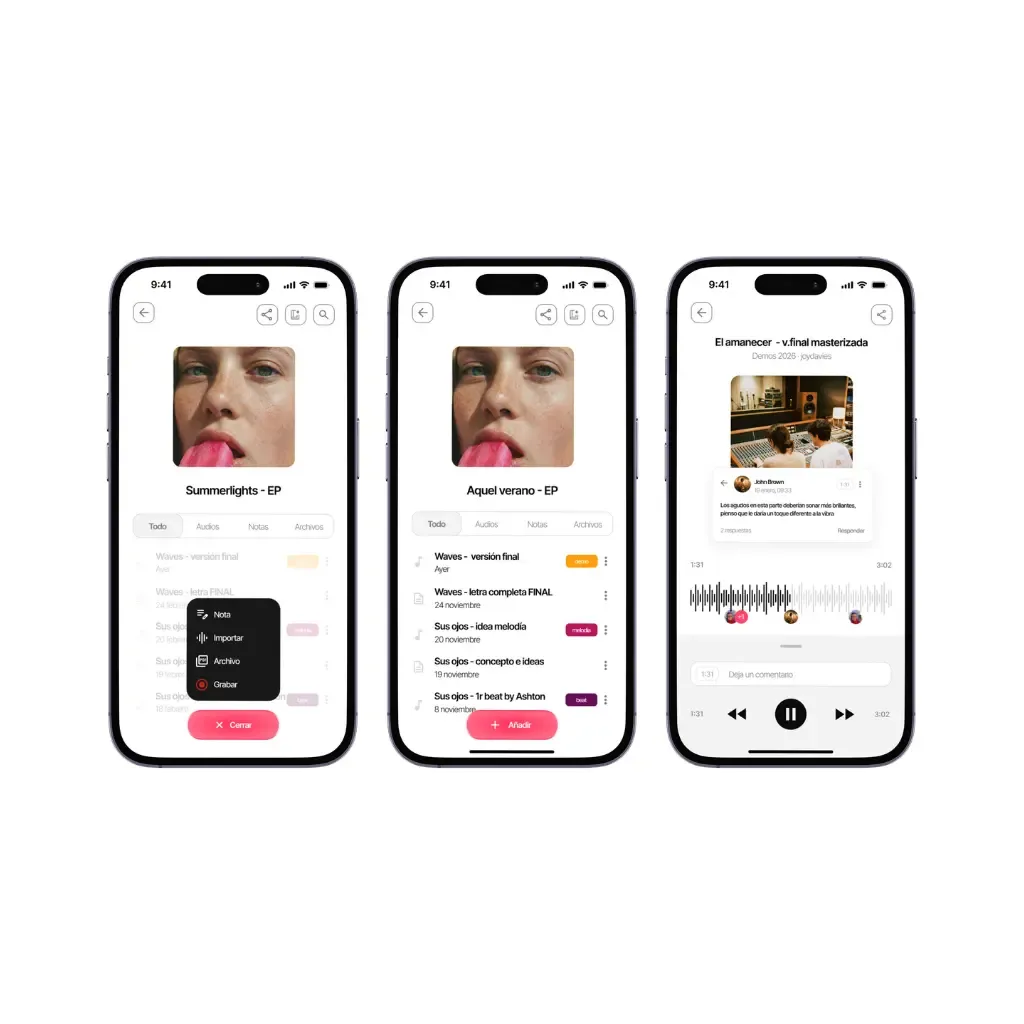
A folder of audio files can store music without showing the state of a song. It does not tell you which recording is current, which lyric belongs to it, what feedback was accepted, or what should happen next.
To organise music in progress, use the song—not the file type—as the main unit.
This article explains the project method. For the wider five-step operating system, read how to organise your music projects. For tool selection, use software to organise music.
The difference between a file and a project
A file is one artifact: an audio export, lyric, image, chart, or session. A project represents the current creative state and the relationships between those artifacts.
A useful song project answers:
- What is this song called now?
- What should I listen to first?
- Which words or notes are active?
- What changed in the latest version?
- What question is open?
- What is the next action?
If those answers live only in your memory, the files are stored but the song is not organised.
Build the minimum project record
Each active song needs six elements.
1. Working title
Use any distinctive phrase. Avoid a long series of projects called “new idea,” “track 3,” or today’s date alone.
2. Current audio reference
Mark one recording as the starting point for the next session. Earlier milestones remain available but should not compete visually with it.
3. Active lyric or musical notes
Keep the text, chords, section map, or production brief that applies to the current reference. When two alternatives remain open, label the decision explicitly.
4. Status
Use a small vocabulary such as:
- captured;
- writing;
- arranging;
- demo ready;
- production;
- paused;
- complete.
Statuses should describe what work is possible next, not how good the song feels.
5. Next action
Write one physical, finishable action: “record the new chorus melody,” not “improve chorus.”
6. Decision history
Keep only decisions that prevent future confusion: key change accepted, bridge removed, earlier tempo restored, lyric branch retained for another version.
Example: the minimum record for one unfinished song
Try this note: “North Window. Verse and chorus recorded. Verse two still repeats verse one. Next: write a new scene for verse two. Listen to the take named shorter-intro.” Add the lyric and that recording to the same project. Another person should be able to open it and explain what is written and what remains. Add fields only when they help answer those two questions.
Build a readable filename for your next take with the song filename generator.
Build one project from five scattered items
Suppose “North Window” currently lives in five places: a phone recording, a lyric in Notes, a message about the bridge, a DAW session and a newer audio export. Start with the material you need for the next session.
| Item you found | What belongs in the song project | What to leave where it is |
|---|---|---|
| Phone recording of the first chorus | The take if its melody is still an option, named “chorus — early melody” | Unrelated recordings |
| Lyric in Notes | The current words, plus a clearly labelled alternative if still under discussion | Old exploratory pages you are not using |
| Message saying “shorter bridge” | The actual decision: “try four bars, compare before choosing” | The rest of the conversation |
| DAW session | A note naming the session file and where to find it | The working production session in your usual storage |
| New audio export | The recording you want to hear first and one sentence about its changes | Duplicate exports with no musical difference |
Now write an opening note:
Start here — North Window
Listen to: “shorter intro — 17 September”.
Lyrics: “working lyric”, ending B.
Still open: compare four-bar and eight-bar bridges.
Next session: play both transitions into the final chorus and choose one.
These labels are a simple way to organize your own material. A note is enough to begin. You can add more structure when another person needs it, rather than setting up fields you never read.
What happens when a collaborator sends a different take?
Keep the new take with the same song and name its distinguishing change. Listen before replacing the current reference. If the new recording changes the melody but uses an older lyric, write that difference next to it and decide whether you want to combine the two.
For “North Window”, “Sam — new bridge melody” can remain a candidate while “shorter intro — 17 September” stays the rehearsal reference. After you choose, update the opening note. The decision becomes explicit without deleting the earlier idea or making the last upload the winner automatically.
Organise versions by meaning
Version numbers provide order but not context. Combine a date or sequence with the important change:
2026-08-29 — shorter intro
A version becomes the current reference when it has been reviewed and selected, not simply because it was exported last.
Preserve milestones when they represent a different structure, lyric direction, or arrangement. Routine autosaves belong to the production tool, not the high-level song history.
Connect captures to projects during review
Fast capture and careful organisation should be separate actions.
When an idea arrives:
- record it immediately;
- add a minimal label;
- return during a scheduled review;
- attach it to an existing song, create a project, archive it with context, or discard it.
Do not demand a perfect filing decision in the moment of inspiration. Do not let “inbox” become a permanent destination either. If your capture app makes that review hard, this guide to apps for capturing and sorting song ideas compares how each one names an idea and brings it back.
Migrate without reorganising your whole life
Start with songs that will change soon.
Pass 1: choose active projects
Select a limited group—whatever you can genuinely work on during the next few weeks.
Pass 2: identify current references
For each song, choose the recording and lyric from which work should continue. Do not resolve every historical discrepancy.
Pass 3: add next actions
A project with no next action is an archive entry. That may be correct; mark it deliberately.
Pass 4: create a legacy archive
Keep old folders intact in a dated archive. Add a short index if needed. Migrate deeper history only when a song returns to active work.
Use links instead of duplication
When a DAW session, cloud folder, or reference playlist must remain elsewhere, link it from the song project and explain its role. Copying the same artifact into several systems creates divergent versions.
One system should show where the song stands, even when specialised work happens in other tools.
Where Zoundroom fits
Create a song project in Zoundroom, import the chosen recording and add the working lyric in a note. Put your “Start here” text in that project, then invite a collaborator if you want to develop the song together. Keep the production session in your usual DAW and bring its next demo into the project when you want to review it with the lyric.
Weekly maintenance in ten minutes
Review:
- captures still in the inbox;
- projects without a current reference;
- projects with more than one apparent active lyric;
- statuses that no longer match reality;
- next actions that are vague or have no owner;
- completed songs still consuming active attention.
A project system succeeds when returning to a song is easier than avoiding it.