
Band management apps in 2026: songs, gigs, money and chat
Published · Updated
Which band management app do you need? Compare BandHelper, Glissandoo, BandLab, Highnote and Zoundroom for songs, rehearsals, setlists, gigs and splits.
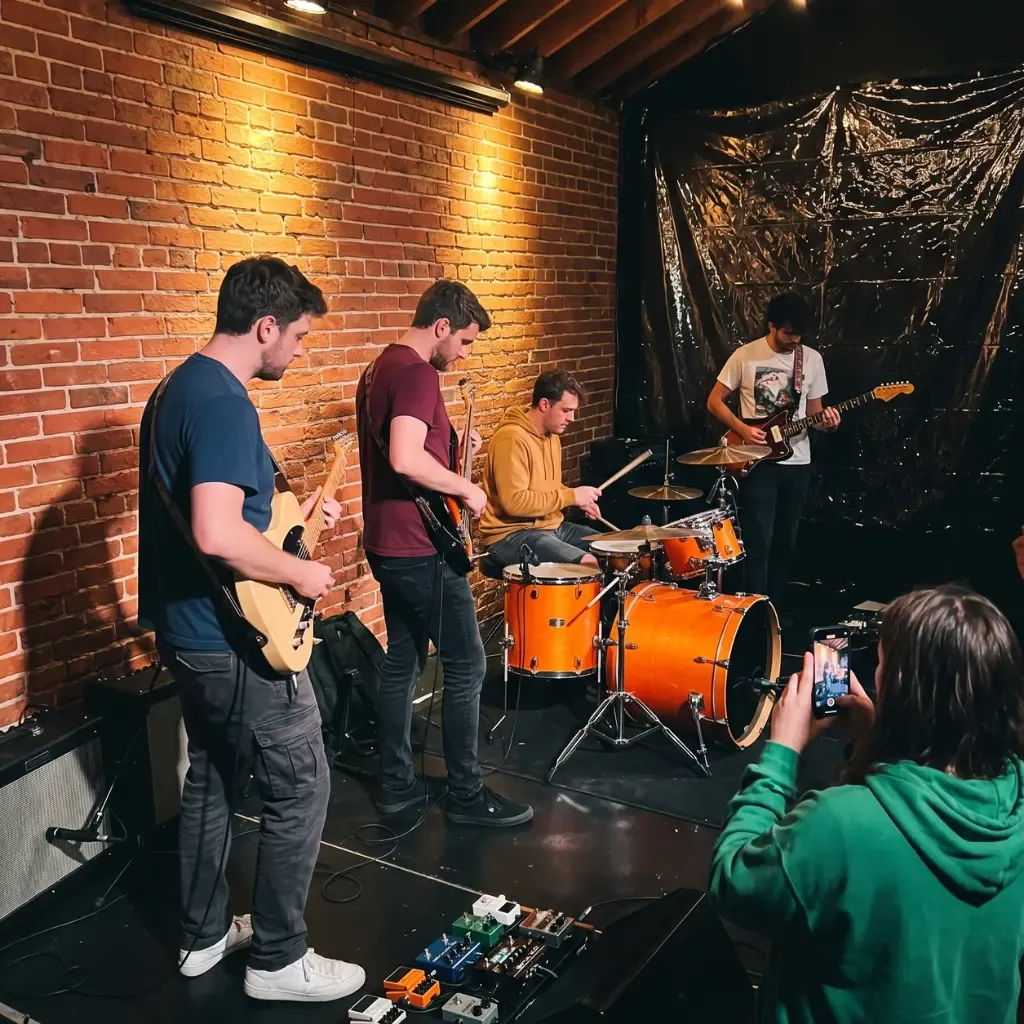
Most bands need three layers, not one app: a place for the songs (demos, lyrics, notes and feedback), a place for operations (calendar, setlists, gig details and money) and a group chat for quick messages. One app is enough when one job dominates. A covers or wedding band that gigs every weekend can run almost everything from BandHelper. A concert band, choir or orchestra with thirty members fits an ensemble tool such as Glissandoo. An original band that writes its own material needs a song workspace first, such as Zoundroom Band, plus a shared calendar and a chat. Prices and plans below were checked on September 27, 2026.
The short answer: pick by what your band does most
| If your band… | Core app | Add |
|---|---|---|
| Writes and records its own songs | Zoundroom Band | Shared calendar, setlist maker, chat |
| Plays covers, weddings or bar gigs most weekends | BandHelper (Plus or Pro) | Group chat |
| Is a large ensemble (concert band, choir, orchestra) | Glissandoo | Its own announcements, or a chat |
| Produces songs remotely | BandLab or your DAW | Highnote for review, Zoundroom for song decisions |
One app is enough when a single job takes most of your admin time and the others are small. A covers band rarely argues about lyric versions, so a repertoire-and-gigs app covers the real work. An original band spends its energy on unfinished songs, so the song layer matters more than the finance module. When two jobs are both heavy (you write originals and play forty gigs a year), use two tools and decide which one holds what.
Band management apps compared
The criteria are simple: which of the five jobs each app covers (songs, calendar, setlists, money, chat), where it runs, whether there is a free plan, and the lowest paid price. Everything comes from each product’s official pricing pages and documentation, checked on September 27, 2026. This describes what each product documents, not a hands-on test of every app, and prices change, so confirm before you subscribe.
| App | What it manages | Platforms | Free plan | Paid from |
|---|---|---|---|---|
| Zoundroom | Songs: recordings, lyrics, notes and files per project; timestamped feedback (Pro, Band). No calendar, setlists or payments | iOS, Android, web | Yes: 2 projects, each shared with up to 2 people | Pro €7.99/month; Band €19.99/month for up to 7 people |
| BandHelper | Songs, lyrics, chords, setlists; schedule and contacts (Plus); finances, stage plots, files (Pro) | iOS, Android, Mac, PC, web | No free plan; 30-day trial of Plus and Pro | $4/month for 2–5 users (Basic); Pro $8/month |
| Glissandoo | Members, rehearsal and concert calendar, attendance, repertoire and sheet music, announcements, surveys, per-performance payments | iOS, Android, web | Free up to 20 members | Price grows with the number of members |
| BandLab | Shared multitrack recording and arranging, up to 50 collaborators per project | Browser and mobile | Free studio | Optional Pro and Max memberships |
| Highnote | Versions, timestamped notes, voice comments, audio polls | Web, iOS, Android | Starter: 15 tracks, 50 GB | Indie $4.99/month |
| Google Calendar | Shared rehearsal and gig calendar | Web and mobile | Included with a Google account | — |
| Splitwise | Shared expenses and who owes whom | Web, iOS, Android | Free, with a daily expense limit | Pro removes the limit (price shown at checkout) |
| Group chat, calls and files | Mobile, desktop, web | Free | — |
The table is ordered by fit for a band that writes its own music: the app that keeps each song’s takes, lyric and feedback together comes first, then the operations apps and the general tools.
No app does all five jobs equally well: BandHelper and Glissandoo are strongest on operations, while Zoundroom, BandLab and Highnote are about the music itself. For a four-piece, a shared calendar, a chat and the free tools linked below often cover everything except the one job that hurts most, which is where a paid plan earns its price.
Songs and demos: where the music lives
The most common failure in a band is not a missing calendar. It is a song spread across a chat thread, a cloud folder and three phones, until nobody knows which take is current. The guide on how bands lose songs lists the usual failures. Whatever app you choose, each song needs five things in one place: the current reference recording, the working lyric, notes with the changes to try, older versions you can go back to, and feedback that points to an exact moment.
- Zoundroom treats each song as a project with its recordings, lyrics, notes and files, on iOS, Android and web. You can record inside a note, so the idea for the bridge sits right next to the line it belongs to. Choose it if your band writes originals. Its limit: it is not a full DAW. Each member can record a take over the song in its multitrack editor (up to 8 tracks), but the produced mix and the master belong in a DAW.
- BandLab is a free studio in the browser and on mobile, and its projects accept up to 50 collaborators. Choose it when the next job is building a multitrack arrangement together. Its limit: it is built around the session, so rehearsal notes and band decisions tend to end up elsewhere.
- Highnote is built for reviewing audio: version nesting, time-stamped notes, voice comments and audio polls. The free Starter plan holds 15 tracks. Choose it when a mix goes to people outside the band and you need a clear yes or no on a version.
- Google Drive works if everyone already lives there, provided you agree on folders and file names. The guide on Google Drive for bands shows a structure that keeps context.
Two habits make any of these work. When a song goes to someone new (a new member, a producer, a dep for one gig), run the song checklist for passing work on: current reference, lyric, credits, open decisions and who acts next. And when you comment on a demo, say what you heard at which second and what to try, as explained in how to give feedback in a band.
Rehearsals and calendar
A band calendar has one rule: it belongs to the band, not to whoever booked the last rehearsal. Pick one of these and stick to it.
- A shared Google Calendar is the free default. Create a dedicated calendar for the band (Google notes that new calendars can only be created from a browser, not the phone app), share it with every member, and put the rehearsal room address and the songs to prepare in each event.
- BandHelper Plus adds a schedule with events that bandmates accept or decline, availability requests and a contacts list. It suits bands that book often and need to know who can play before saying yes to a date.
- Glissandoo plans rehearsals and concerts from a single calendar and tracks attendance with a forecast and a roll call (manual, QR or geolocation). That is exactly what a concert band or choir with sections needs, and it is free up to 20 members.
The calendar only tells people when. The rehearsal itself improves when, 48 hours before, someone posts a short plan: the three songs you will work on, the take everyone should know, and the one change each person prepares. After rehearsal, write the decisions (new tempo, cut the second pre-chorus) into the song itself, not the chat, so they survive the week.
Setlists and gigs
For a single gig you do not need a subscription. The free setlist maker lets you list the songs with key, tempo and length, add breaks and the gap between songs, see the running time and when each song starts, and print it in large type for the stage. No account is needed. If you have never built a set before, the guide on how to make a setlist covers song order, energy and timing with examples.
If your band plays every week with a large repertoire, a dedicated app pays off. BandHelper builds setlists from your song library, with tempo, duration and starting pitch for each song, and shows lyrics and chords on stage from a tablet or phone. The Pro plan adds drag-and-drop stage plots, which saves a few emails with every new venue.
Whatever tool holds the set, keep a one-screen gig sheet next to it: date, load-in and soundcheck times, set length, fee, venue contact and backline. Put it in the calendar event or in BandHelper, so nobody scrolls a chat to find the load-in time.
Money and splits: two different conversations
Bands mix up two kinds of money, and they need different tools.
The first is running money: the rehearsal room, the van, strings, a gig fee that needs splitting. Splitwise records who paid what and who owes whom; the free version has a daily expense limit, and Pro removes it. BandHelper Pro logs income and expenses and shows a report of how much of the band’s current balance is due to each member. Glissandoo calculates payments per performance, which fits ensembles that pay musicians by gig. Agree on a default rule in writing (for example, expenses first, then an equal split) before the first paid gig, not after it.
The second is songwriting splits: who owns what share of each composition. That is a paper agreement, not an app feature. Fill in the free split sheet template when a song is finished: writers, roles, percentages that add up to 100, PRO and IPI numbers, then print it and sign. The explainer what is a split sheet walks through examples, and songwriting royalties explained shows where those percentages end up. Keep the composition (lyrics and music) separate from the recording: a drummer may play on the master without being a writer of the song. None of this is legal advice; for contracts, talk to a professional.
Communication: keep chat fast and short-lived
WhatsApp or a similar chat is free and is the fastest way to ask “can everyone do Thursday?” or to say “the new mix is up.” The problem starts when the chat becomes the archive: voice notes, lyric changes and decisions scroll away within days. The guide on where WhatsApp stops working for a band explains the two-layer model, and removing the organizer bottleneck shows how to stop one person from carrying the whole band.
Three rules keep the chat useful:
- Chat announces; decisions go to the song or the calendar, with a link back.
- No final files in the chat: post the link to where the file lives.
- One question per message when you need an answer by a date.
Some searches for a band app are really about finding people: a dep for Saturday, a new bassist, a session player. None of the apps above is a hiring marketplace. Bands usually find musicians through their own network, local scene groups, rehearsal studios, teachers and musician classifieds. Where the apps help is the moment after someone says yes: send the setlist, the reference recordings and the keys, so the first rehearsal is not spent explaining the songs.
Which combination fits your band
Starting from scratch? Before any of these, the free band name generator suggests names by style and links the searches that show whether a name is already taken.
Original band that writes
- Zoundroom Band for songs, recordings, lyrics and timestamped feedback.
- A shared Google Calendar for rehearsals and gigs.
- The free setlist maker for each gig, Splitwise for expenses and a split sheet per finished song.
Covers or function band
- BandHelper Plus or Pro for repertoire, keys, setlists, dates, contacts and, on Pro, finances and stage plots.
- WhatsApp for availability and last-minute changes.
Concert band, choir or orchestra
- Glissandoo for members, attendance, calendar, sheet music by instrument and announcements.
- A chat per section only if the announcements are not enough.
A church worship team has different jobs (volunteer schedules, chord charts for the stage, multitracks with a click); the best apps for worship teams covers them.
Remote production band
- BandLab or your usual DAW for the sessions.
- Highnote when a mix goes out for outside review.
- Zoundroom for the lyric, the reference and the decisions of each song.
If you also write together over video, the remote co-writing setups compared here add Zoom, Audiomovers and Soundtrap to the picture.
A 20-minute test with your next rehearsal
Before paying for anything, run your real next rehearsal through the setup you are considering:
- Create the rehearsal event in the shared calendar with the address and the three songs.
- Put the current demo and lyric of one song where the band will keep songs, and add one note with the change to try.
- Build the set for your next gig in the setlist maker and check the running time.
- Fill in a split sheet for your newest original, even if the percentages are still under discussion.
- Post one message in the chat with the links, and nothing else.
Then ask five questions. Can a new member find the current version without reading the chat? Can feedback point to an exact version and moment? Do permissions separate who edits from who only listens or comments? Can you export your files if you leave the app? Does everyone know which tool holds each job? If any answer is no, fix that layer before adding another app.
Zoundroom: best for the band’s own songs, with the Band plan
Zoundroom is the songs layer in this setup. On the Band plan, one person subscribes and up to 7 members work in the same shared projects, one per song, each keeping its recordings, lyrics, notes and files together; members leave timestamped feedback on a take, and each take can carry one tag that every member sees and can use, such as “Live” for the version the band plays at gigs. Use it at the moment a song moves from someone’s phone to the rehearsal room: create the project, add the current demo and the working lyric, record the new bridge idea straight into a note, and ask each member to leave one timestamped comment before Thursday’s rehearsal, so you walk in with the decisions already written down.
In the multitrack editor, each member can record a part over a song and save it as their own version, next to the original. The Band plan costs €19.99/month or €149.99/year for up to 7 people under one subscription, and every member can comment in the band’s projects; with Pro (7 days free on iPhone and on the web), one person shares each project with up to 4 people, and each person who comments needs Pro or Band. Free (2 projects, each shared with up to 2 people) is enough to try one song first, and the pricing page compares all plans. It is the same account on iOS, Android and web.
Its limit: keep dates in Google Calendar or BandHelper, money in Splitwise or BandHelper Pro, and production in BandLab or your DAW.
Frequently asked questions
What is the best app to manage a band?
It depends on the job that takes most of your time. For a gigging covers band, BandHelper covers repertoire, setlists, schedule and (on Pro) finances. For a large ensemble, Glissandoo covers members, attendance and sheet music. For a band that writes originals, start with a song workspace such as Zoundroom Band and add a shared calendar and chat.
Is there a free band management app?
Yes, partly. Glissandoo is free up to 20 members, Zoundroom and Highnote have free plans with limits, BandLab’s studio is free, and a shared Google Calendar plus WhatsApp costs nothing. BandHelper has no free plan but offers a 30-day trial of Plus and Pro. Zoundroom’s free setlist maker and split sheet template need no account.
Can one app handle songs, rehearsals, setlists and money?
BandHelper Pro comes closest for a gigging band: songs, setlists, schedule, contacts, finances and stage plots in one subscription for the whole band. What it does not aim to be is a place to develop unfinished songs with demos, lyric versions and feedback, which is why writing bands usually pair an operations app with a song app.
What app works for a concert band, choir or large ensemble?
Look for attendance, sections and sheet music by instrument. Glissandoo is built for that: rehearsals and concerts from one calendar, roll call, repertoire and scores assigned by instrument and voice, announcements and surveys, with a free plan up to 20 members and pricing that grows with the size of the group.
How should a band split gig money and songwriting credits?
Treat them separately. Gig money and shared expenses go in a ledger such as Splitwise or BandHelper Pro, with a rule agreed in advance. Songwriting shares go on a signed split sheet per song, which you can fill in with the free template before the song is released.
Sources
- BandHelper, pricing, plan comparison and features, checked September 27, 2026.
- Glissandoo, official site and pricing, checked September 27, 2026. Paid prices by member count were not shown in the page text.
- BandLab, creation features and Pro and Max membership, checked September 27, 2026.
- Highnote, pricing and iOS and Android app launch, checked September 27, 2026.
- Google Calendar Help, create a new calendar, checked September 27, 2026.
- Splitwise, Splitwise Pro and why am I seeing an expense limit?, checked September 27, 2026.
- WhatsApp, official site, checked September 27, 2026.
- Zoundroom, Band plan and pricing.