
Best apps for worship teams in 2026: plan, play and write
Published
Planning Center, WorshipTools, OnSong, MultiTracks Playback, Loop Prime, CCLI SongSelect and Zoundroom for worship teams: free plans, prices, platforms.
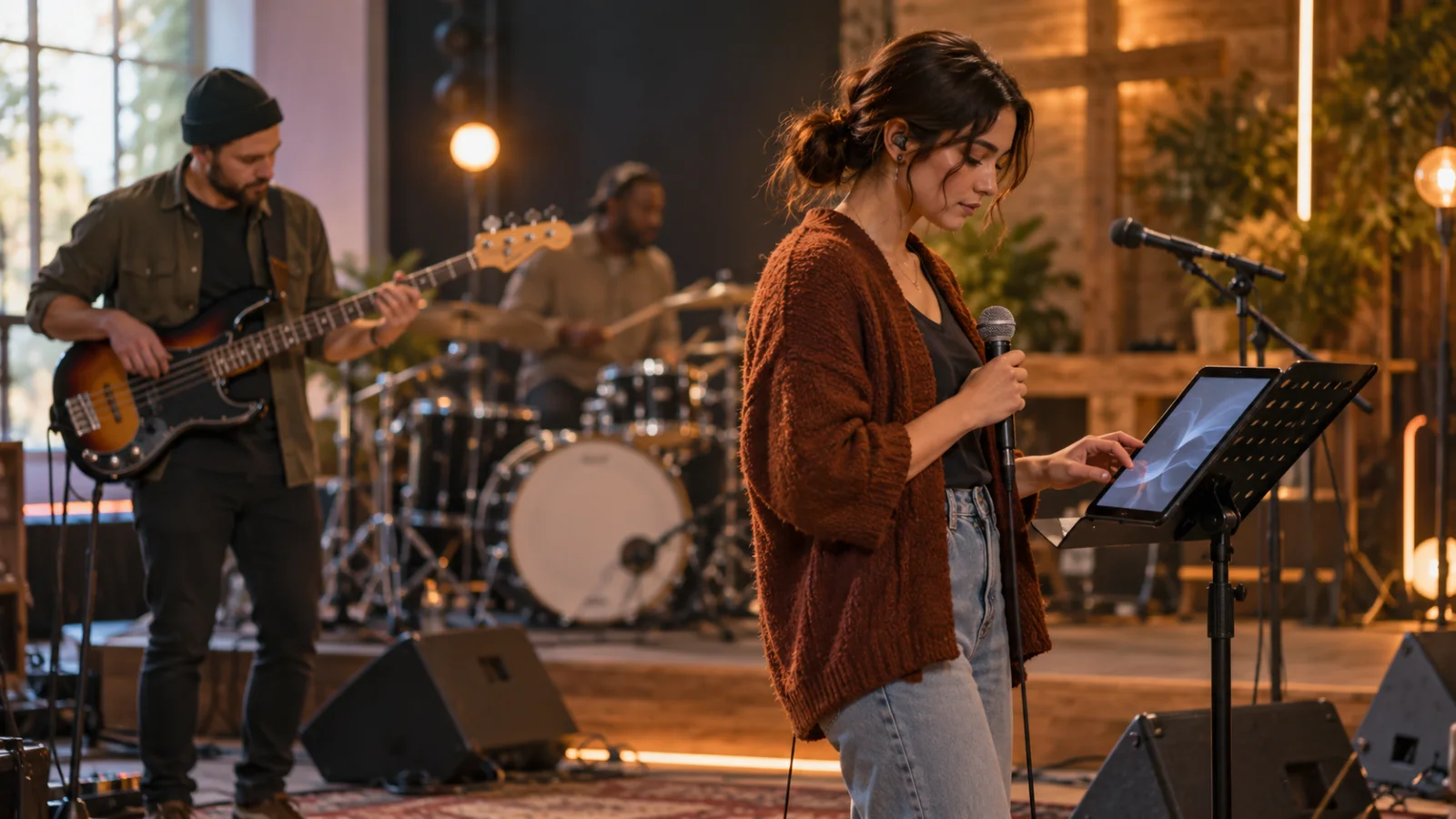
The best worship team app depends on the job, and most teams end up with two to four. To schedule volunteers and plan the service, Planning Center Services (free for up to 5 team members) or the free WorshipTools Planning. For chord charts and setlists on stage, WorshipTools Charts (free for teams of ten or fewer, on Android too) or OnSong on iPad. For multitracks and click, MultiTracks.com Playback or Loop Community Prime, both with a free tier and both Apple-only. For licensed lyrics and chord sheets, CCLI SongSelect with a Church Copyright License. And for the songs your team writes and rehearses, Zoundroom keeps the lyric, the voice memos and the team’s timestamped feedback in one project per song, with a Band plan for up to 7 members.
No single app does all five jobs. The table compares them; the sections after it give each pick’s best use and one honest limit, plus the free browser tools that help on rehearsal night.
Worship team apps compared
| App | What it solves | Free plan | Paid from | Platforms |
|---|---|---|---|---|
| Planning Center Services | Service plans, volunteer scheduling, song library with keys and arrangements | Up to 5 team members, 100 MB | $15 a month for 20 team members, up to $239 a month for unlimited; Music Stand add-on $5 a month | Web, iOS and Android apps |
| WorshipTools (Planning, Charts, Presenter) | Free planning, chord charts with live setlists, lyric presentation | Free tier on every product; Charts free for teams of ten or fewer | Pro and Pro Plus tiers; prices not listed on the pages we checked | Charts and Planning: web, iOS, Android; Presenter: Mac and Windows |
| OnSong | Chord charts on stage: autoscroll, foot pedals, transposition | Free download with limited features | Essentials: $3.99 a month or $29.99 a year; Premium: $5.99 a month or $59.99 a year | iPhone and iPad (iOS 15 or later), Mac (macOS 11 or later) |
| MultiTracks.com Playback | Multitracks, dynamic click, setlists, MIDI cues | Intro: key and tempo changes offline, dynamic click, setlists | Premium: $9.99 a month billed annually; Live Bundle: $29.99 a month billed annually | iPhone, iPad; Mac with Premium |
| Loop Community Prime | Multitracks with free click and cue tracks, band cues, pads | Prime Basic, with a 300 MB upload limit | Prime Standard (500 GB) and Prime Plus (1 TB); prices shown after you log in | iPhone, iPad, Mac |
| CCLI SongSelect | Licensed lyrics, chord sheets and lead sheets for church use | Lyrics, for churches with a Church Copyright License | Advanced: $210 a year; Premium: $263 a year (US prices) | Web, and imported into Planning Center or WorshipTools Charts |
| Zoundroom | Songs in progress: lyrics, voice memos, files and timestamped feedback, one project per song | Yes: 2 projects, each shared with up to 2 people | Pro: €7.99 a month or €59.99 a year; Band: €19.99 a month for up to 7 people | iPhone, Android, web |
How we compared them
Every fact in the table comes from official pages: pricing pages, product pages and the CCLI license page, checked on October 2, 2026, with links in the sources at the end. The criteria follow what a worship team needs from Monday to Sunday: which job the app covers, whether a volunteer can use it without paying, what the free plan allows, what the first paid tier costs, and which devices it runs on, because a team rarely owns the same phones. Prices appear as each official page showed them: US dollars for the US companies, euros for Zoundroom. WorshipTools and Loop Community didn’t list their paid prices on the pages we checked, so the table says so instead of guessing. We did not run hands-on tests; this compares what each company documents, and prices change, so treat them as a snapshot of that date.
The five jobs of a worship team app
A worship team is a band that changes members every week, plays for people who sing along, and works with songs it doesn’t own. That creates five jobs:
- Plan and schedule. Who plays this Sunday, who is away, which songs, in what order, in which key.
- Charts and setlists on stage. Every musician sees the same song, in the right key, in the right order.
- Tracks and click. If your team plays with multitracks, someone runs them and everyone hears the click and the cues.
- Licensing. Projecting lyrics or printing chord sheets of published songs needs the right license.
- Your own songs. The song your worship leader wrote on Tuesday needs a home before Thursday’s rehearsal.
Most churches cover jobs 1 and 2 with one app family (Planning Center or WorshipTools), add a tracks player only if they use tracks, and handle licensing once a year. Job 5 is the one that usually ends up scattered across WhatsApp messages and voice memos.
Planning Center Services: best for scheduling volunteers and planning services
Planning Center Services is what many churches already use to plan Sunday. You build the service order, add songs with their arrangements and keys, schedule teams, and let volunteers set blockout dates, sign up on their own and get automatic reminders. Volunteers answer serve requests and see the plan in the Services app for iOS and Android. For rehearsal, the song library connects with SongSelect, PraiseCharts and RehearsalPack for charts and audio, and the app plays media on the go, with Apple CarPlay support. The Music Stand add-on ($5 a month) shows sheet music you can annotate and turn with a foot pedal.
The free plan covers up to 5 team members and 100 MB of storage. Paid plans scale with the number of people on your teams, from $15 a month for 20 team members up to $239 a month for unlimited, with 30 days free.
Choose it if: you rotate a lot of volunteers across several teams (band, vocals, sound, projection) and want one place for the plan and the schedule.
Its limit: the free plan stops at 5 team members, which is smaller than most worship teams with a rotation. And it plans the service; it isn’t where a new song gets written.
WorshipTools: best free all-in-one for small churches
WorshipTools offers a free tier on every product. Planning schedules services and volunteers on the web, iOS and Android. Charts shows chord charts and sheet music in any key with one-tap transposition, as lyrics, chords, two columns or Nashville numbers; it syncs setlists live across every musician’s device, imports from SongSelect, Loop Community, PDF and ChordPro files, and works offline. Charts is completely free for teams of ten or fewer. Presenter handles lyrics and media on screen from a Mac or Windows computer, and a newer Rehearse app adds practice mixes, loops, click and cue tracks.
Choose it if: your church is small, your budget is zero, and some of your musicians use Android phones.
Its limit: the pages we checked don’t list what Pro and Pro Plus cost, so you only find out when your team outgrows the free tier. Check that before the whole church depends on it.
OnSong: best for chord charts on an iPad on stage
OnSong is a long-standing chart app for musicians who read from an iPad. Essentials ($3.99 a month or $29.99 a year) covers unlimited songs, autoscroll, foot pedals, song editing, transposition and 2 GB of cloud storage on up to 2 devices. Premium ($5.99 a month or $59.99 a year) adds annotations, timeline autoscroll, MultiTracks, backing tracks, click tracks, vocal cues, lyrics projection and MIDI automation, with 5 GB on up to 4 devices. Group plans have custom pricing.
Choose it if: your worship leader leads from an iPad and wants charts, a foot pedal and even lyric projection in one app.
Its limit: it runs on iPhone, iPad and Mac only. If half your band is on Android, they can’t open the same library.
MultiTracks.com Playback: best for running multitracks and click
Playback is a tracks player built for worship teams: you play multitrack stems, adjust them, and everyone follows a dynamic click with adjustable subdivision. The free Intro tier changes key and tempo offline, runs the dynamic click and builds setlists. Premium ($9.99 a month billed annually) adds remote control, automation, MIDI cues to drive lyrics and lights, Mac support and up to 32 outputs. The Live Bundle ($29.99 a month billed annually) adds Cloud Pro storage, Song Pads and team sharing.
Choose it if: your team plays with tracks every week and wants MIDI to cue lyrics and lights from the same setlist.
Its limit: iPhone and iPad, plus Mac on Premium; no Android or Windows. Tracks are bought separately from the app.
Loop Community Prime: best free tracks player with click and cues
Prime plays multitracks with mute, solo and custom arrangements, includes free click and cue tracks for every song, adds band cues that call out the next section, and has a pad player for ambient pads. Prime Basic is free, with a 300 MB upload limit. Prime Standard (500 GB) and Prime Plus (1 TB) add storage; their prices appear after you log in. A setlist built on the web updates on your iPhone, iPad or Mac.
Choose it if: you want to start with tracks and click without paying, and your tracks player runs on an iPad or a Mac.
Its limit: no Android or Windows, and the paid prices aren’t public on the product page.
CCLI SongSelect: best for licensed lyrics and chord sheets
SongSelect is CCLI’s library of worship songs. Lyrics are free for churches that hold a CCLI Church Copyright License. Advanced ($210 a year in the US) adds transposable chord sheets and lead sheets; Premium ($263 a year) adds vocal sheets and ChordPro downloads, which you can edit in a chart app.
The license is what lets your church use published songs. According to CCLI, the Church Copyright License covers projecting lyrics from a computer or other device, printing lyrics in bulletins, programs and song sheets, recording services for archive or limited distribution to people who can’t attend, and making your own arrangements and translations where no published version exists. It doesn’t cover streaming your services, which needs a separate Streaming License, or music outside worship services. Its price depends on the size of your congregation, and CCLI’s offer and prices change by country, so check your regional CCLI site. This is a summary, not legal advice.
Choose it if: your team plays published worship songs and needs correct, transposable charts with the licensing in order.
Its limit: it covers songs other people wrote. For your own songs, see our guide on how to write a worship song, which explains how CCLI handles songwriters.
Zoundroom: best for writing and rehearsing your team’s own songs
When your team writes its own songs, the unfinished one needs a home before it reaches the service plan, and Zoundroom keeps it in one project: the chorus your worship leader hummed on Tuesday, the lyric with chords above each line and the bassist’s comment, together instead of in three chats. You record inside a note and the audio is inserted at the cursor, right under the line it belongs to; an old voice memo or a rehearsal recording is imported into the same project. In the full player, «Leave a comment» pins a note to the exact second of a take, so the drummer can point to the moment the bridge drags, and everyone in the project gets a «New comment» notification. The same account works on iPhone, Android and the web, which also records in the browser. A concrete next step: create a project with the working title of your team’s newest song, paste the lyric with the chords above each line, record the melody inside that note, and share it with the team before rehearsal.
For a team, the Band plan is the natural fit: up to 7 people under one subscription, in a shared space where every member can edit the songs and comment. With Pro, one person shares each project with up to 4 people (2 on Free) and gets comments at the exact second, and each person who comments needs Pro or Band. Pro is 7 days free on iPhone and on the web; the plans are on the pricing page.
Choose it if: your team writes its own songs and new ideas keep getting lost between voice memos, group chats and the worship leader’s notebook.
Its limit: for scheduling, lyric projection and click, keep Planning Center, WorshipTools or Playback alongside it.
Free tools for rehearsal night
Some jobs don’t need an app at all. These free tools run in the browser, with no account, and audio never leaves your device:
- A different singer leads this week? Paste the chart into the chord transposer and move it to their key in one step.
- Which key suits this leader and the congregation? Enter the leader’s comfortable range in what key should I sing in (the link opens with A2–E4 as an example) and compare the keys it suggests with what the room can sing.
- Timing the set. The setlist maker adds up song lengths so the worship set fits its slot in the service.
- A clean chart for a new song. The chord sheet maker turns a lyric with chords above it into a sheet you can transpose and print.
- No tracks? Set the tempo with the tap tempo metronome and give the drummer a number to count in.
- An idea in the parking lot. The online voice recorder captures a melody from the browser before you forget it.
Our guides on how to run a band rehearsal, lyric and chord sheets and how to make a setlist go deeper on each step.
A worked example: one new song, one week
Here is how the apps fit together for a team of six at a church of about 120 people. The worship leader wrote a new chorus on Tuesday:
Before the doors are open,
before the first chord rings,
You're already in the room,
and You hear the one who sings.- Tuesday. She creates a Zoundroom project called “Before the doors”, writes the lyric in a note with G–D–Em–C above the lines, records the melody inside the note and shares it with the bassist and the keys player.
- Wednesday. The bassist leaves a timestamped comment (a Pro and Band feature): the last line feels rushed at 0:41. She moves “and You hear” one beat later and records a new take in the same note.
- Thursday. The scheduler adds the song to Sunday’s plan in Planning Center (or WorshipTools Planning) and the chart goes to Charts or OnSong. The transposer moves it from G to E for the baritone who leads it this Sunday, and the team rehearses with a click at 74 BPM.
- Sunday. The published songs come from SongSelect under the church’s license; the new song is the team’s own, so it needs no license to be sung by its writer’s church.
That’s the point of a small stack: each tool does its job, and the new song has one home while it is still changing.
Which setup to choose
- Small church, zero budget, mixed phones: WorshipTools Planning and Charts (free for ten or fewer), our free tools for keys and tempo, and Zoundroom Free for one or two songs in progress.
- A larger church with a volunteer rotation: Planning Center Services on the tier that fits your team size, Music Stand or OnSong for charts, and SongSelect Advanced for transposable chords.
- A team that plays with tracks: Playback or Prime on an iPad or a Mac dedicated to tracks, with notifications off, and the click in the drummer’s in-ear mix.
- A team that writes its own songs: the Zoundroom Band plan for up to 7 people, with comments at the exact second, plus the chord sheet maker and the vocal key tool before the song reaches the plan.
- A team mostly on Android: Planning Center’s Services app and WorshipTools Charts run on Android; OnSong, Playback and Prime don’t.
A 15-minute test before your next rehearsal
Copy this checklist into your team chat and tick it off:
[ ] Plan: this week's songs, order and keys are in ONE place
[ ] People: every musician can open the plan on their own phone
[ ] Charts: the chart is in the leader's key (transposed, not "we'll fix it live")
[ ] Tempo: each song has a BPM written next to its title
[ ] Tracks: the tracks device is charged, offline and on Do Not Disturb
[ ] License: published songs are covered; the CCLI number is where the projection team can find it
[ ] New song: lyric, chords and melody recording live in one shared project
If a line fails, fix it on Tuesday, when it costs a message, not on Sunday morning, when it costs the first song.
Frequently asked questions
What app do most worship teams use?
Many churches use Planning Center Services to plan services and schedule volunteers, with a chart app such as OnSong, WorshipTools Charts or Planning Center’s Music Stand on stage. Teams that play with tracks add MultiTracks.com Playback or Loop Community Prime, and churches that use published songs license them through CCLI.
Is there a free app for worship teams?
Yes. WorshipTools has a free tier on every product, and Charts is free for teams of ten or fewer. Planning Center Services is free for up to 5 team members, Playback has a free Intro tier, Prime Basic is free, OnSong is a free download with limited features, and Zoundroom Free covers 2 song projects.
Planning Center or WorshipTools: which is better?
Planning Center if you run a large volunteer rotation across several teams and want a mature planning tool with integrations; WorshipTools if your church is small and wants planning, charts and presentation free. Both run on the web, iOS and Android.
Do we need a CCLI license to project lyrics?
To project or print lyrics of published songs in services, churches usually need a license such as CCLI’s Church Copyright License, which covers those uses; streaming needs a separate license. Your own songs don’t need a license to be sung in your own church. Check the rules for your country with CCLI.
Does OnSong work on Android?
No. According to OnSong’s official page, it runs on iPhone and iPad with iOS 15 or later and on Mac with macOS 11 or later. For an Android team, WorshipTools Charts is the closest free option.
Sources
Official pages checked on October 2, 2026:
- Planning Center: Services (features, free plan, paid range, apps)
- Planning Center: Pricing (free tier, Music Stand add-on)
- WorshipTools: Pricing (products, free tiers, platforms)
- WorshipTools: Charts (features, free for teams of ten or fewer)
- OnSong: Pricing (plans, prices, platforms)
- MultiTracks.com: Playback (tiers, prices, platforms)
- Loop Community: Prime (features, tiers, platforms)
- CCLI: Church Copyright License (US) (what it covers and doesn’t, pricing by congregation size, SongSelect Advanced and Premium)