
Paper or digital for songwriting? A workflow that keeps both
Published · Updated
Paper can free your thinking; digital tools make lyrics easier to find and share. Keep both without losing the active draft.
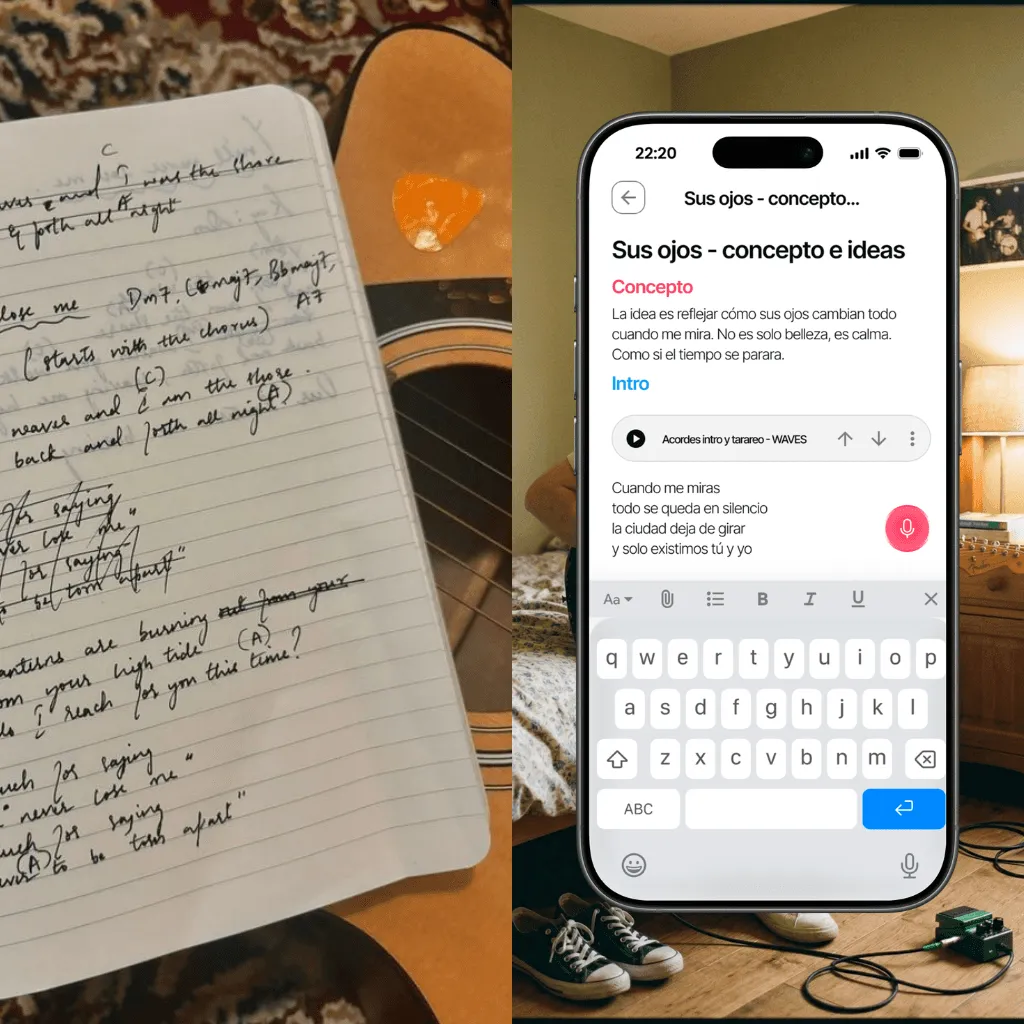
Paper and digital tools solve different parts of lyric writing. A notebook gives you an open surface with no notifications, fixed fields, or formatting rules. A digital document gives you search, duplication, sharing, and access across devices.
The useful question is not which medium wins. It is where the active lyric lives, how handwritten material enters that system, and how the words stay connected to the song’s audio.
For a complete writing process rather than a tool decision, start with how to write song lyrics step by step.
What paper is good at
Starting without a template
A blank page does not ask whether a line belongs in verse one, the chorus, or a metadata field. You can write sideways, draw arrows, circle sounds, and keep rejected words visible. That physical freedom can help when you are discovering the idea rather than documenting a settled lyric.
Creating a deliberate writing session
Opening a notebook can be a useful ritual. It removes some of the friction and distraction that comes with opening a general-purpose device. The benefit comes from the boundary, not from paper having a special creative power.
Preserving the shape of revision
Cross-outs, margins, and rewritten lines show how the lyric moved. That history can reveal why a cleaner digital version feels weaker. A notebook page is often valuable as a record of decisions, even after the words have been transferred.
Try it with your song: fill in the lyric worksheet and copy or download your first verse and chorus.
Where paper becomes fragile
Paper is hard to search, difficult to share remotely, and easy to separate from the melody it was written for. A title such as “new song” may make perfect sense during the session and become useless six months later.
A notebook can also contain several competing versions with no clear signal about which one is current. The problem is not that paper is obsolete. It is that paper rarely provides the whole workflow on its own.
What digital writing is good at
Fast revision and comparison
Digital text is easy to move, duplicate, and compare. You can keep a clean active lyric while preserving meaningful alternatives instead of erasing them.
Search and retrieval
A remembered phrase can lead you back to the lyric even when you have forgotten the file name. Search works only if the material is actually in a searchable place, so screenshots and image-only scans need a text transcription or useful label.
Sharing one reference
A link to one active draft is safer than sending a new attachment after every edit. Collaborators should be able to see which lyric they are reviewing and which audio version it belongs to.
Where digital writing becomes fragile
Digital does not automatically mean organised. Lyrics can be scattered across Notes, messaging apps, cloud documents, screenshots, emails, and files called lyrics_final_v7_really_final.
The failure mode is fragmentation: each tool contains a useful piece, but no place represents the song as a whole. Search may find a phrase without telling you whether it belongs to the current melody.
If you prefer a digital workflow, the comparison of lyric-writing apps helps you choose between a standalone writing pad, audio beside the words, or broader song context.
A hybrid workflow that works
Use any medium for creation, but establish one authoritative digital version for each active song.
1. Write wherever the line arrives
Use the notebook, your phone, or a temporary document. Do not interrupt a useful writing moment to reorganise the archive.
2. Mark enough context at capture time
Add the song name or working title, the date, and the section if you know it. If the lyric follows a melody, make a quick recording as well. To choose where those quick recordings go, this comparison of apps for capturing song ideas looks at how each one keeps a melody findable next to its words.
3. Transfer material during a separate review
At the end of the session—or at a fixed review time—move the useful text into the song’s active project. Photograph the page if its visual history matters, but also transcribe the lines you need to search and edit.
4. Keep one active lyric obvious
Alternatives can remain, but do not make collaborators guess which document is current. Label milestones by meaning: chorus before key change is more useful than version 6.
5. Review the lyric with the audio
Read the words while listening to the current recording. A lyric is not finished only because it works on the page. Stress, breath, vowel shape, and timing belong to the song.
Example: bring one notebook page into the song
Circle the four lines you want to sing, type those lines into the working lyric and record a rough melody. Keep the page number or date in the note so you can return to the handwritten alternatives. At the next session, begin with the recording and those four lines rather than transcribing the whole notebook. This keeps the useful connection without turning writing time into an archiving task.
Map the sections of your own song with the song structure planner.
Using Zoundroom without giving up paper
Keep the notebook as your place to explore. When you have lines you want to sing, type those lines into a Zoundroom project note and record the melody directly inside it. You can also import a recording into the project and insert it beside the words.
Use a short reference such as “blue notebook, page 18” to find the handwritten alternatives again. Keep a photo in your usual photo archive if the crossed-out words or layout matter. The project note contains the text you want to edit and the audio you want to hear with it.
Example: two endings on paper, one working lyric
Your notebook has two final lines: “I leave the key beneath the stone” and “You know where I keep the key”. Type both into the note, sing each against the same melody and label the recordings “ending A” and “ending B”. The first line describes an action; the second speaks directly to the other person. Listen for which one fits the song’s point of view.
Put the chosen ending into the working lyric. Leave the alternative under a clearly named heading in the note, with the notebook reference. When you invite a co-writer to the project, they can start with the selected line and hear how you intend to sing it.
At your next paper session, write the song title and current ending at the top of the page. That small habit connects the new handwritten draft with the song you are already developing.
Frequently asked questions
Should I type every handwritten draft?
No. Transfer the material that still affects the song. Keep a photo of exploratory pages when the history may be useful, and transcribe the active lines so they remain searchable and editable.
Is paper better for creativity?
It can be better for a particular person or task because it changes the environment and available actions. Treat that as a workflow preference, not a universal rule.
How many lyric versions should I keep?
Keep meaningful milestones and branches, not every keystroke. The active draft should always be unmistakable.
What if I write words and music at different times?
Connect them as soon as the relationship becomes clear. Add a short note describing the intended melody, mood, or section until you can record a reference.
The best medium is the one that helps the line appear. The best system is the one that lets you find that line again, hear it with the right song, and continue from the correct version.
To go deeper on one section, see how to write a chorus; if you want the lyric to stay attached to its recordings while revising, Zoundroom notes and lyrics shows that workflow.