
How to record a useful home demo without expensive gear
Published · Updated
Record a clear home demo with the equipment you already have. Choose the demo's purpose, control the room, capture a reference, and organise the next version.
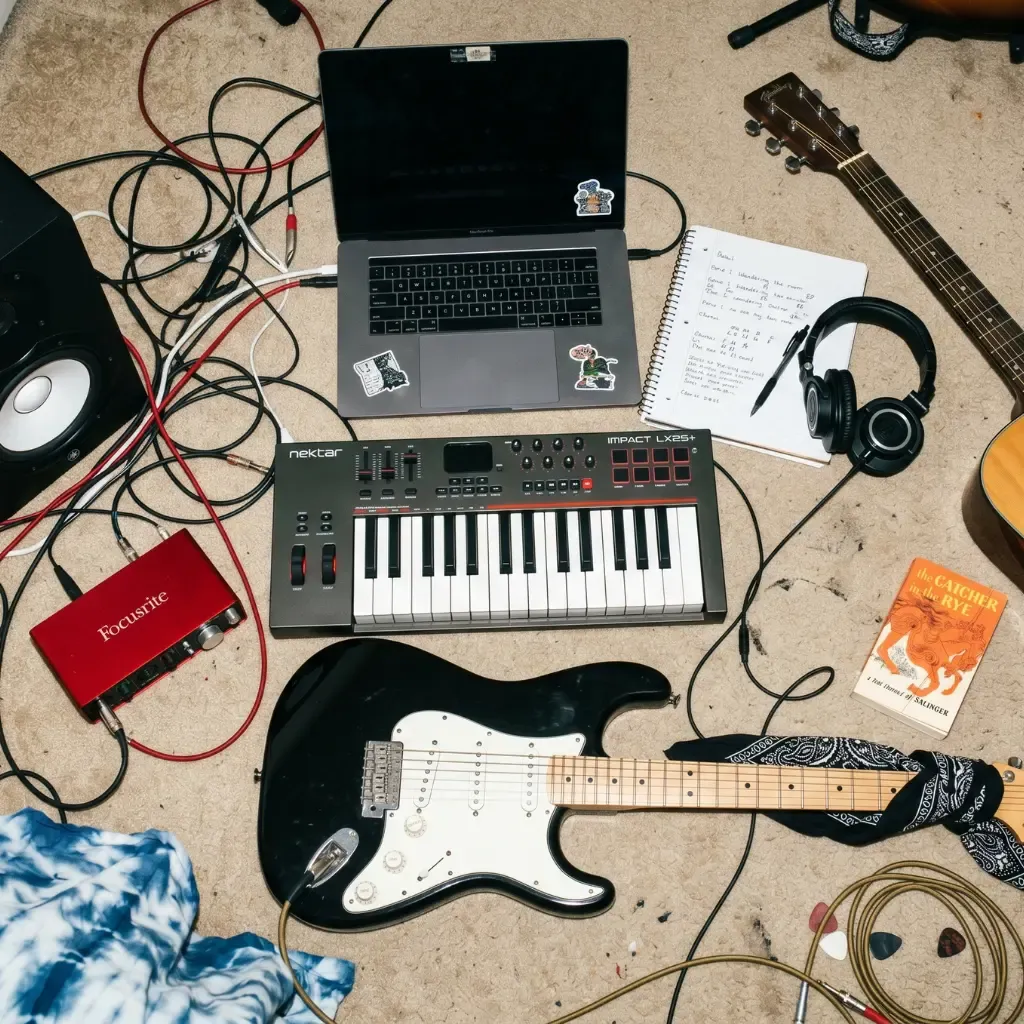
A useful home demo does not begin with a shopping list. It begins with a decision: what must this recording allow you or another person to understand?
For remembering a song, a phone may be enough. For testing an arrangement, you may need a simple multitrack session. For briefing a producer, the demo needs a complete and intelligible journey, not necessarily release-ready sound.
If the term itself is unclear, read what a music demo is and the types it can take.
1. Define the demo before setting up
Write one sentence:
- “Preserve the verse melody and chords.”
- “Test whether the bridge belongs.”
- “Give the band a rehearsal reference.”
- “Show a producer the intended structure and energy.”
That sentence decides which parts, equipment, and editing are necessary. Without it, a simple recording can expand into unfinished production.
Before sharing your recording, fill in the demo feedback brief to give your listener a specific passage and question.
2. Use the smallest setup that answers the question
Capture demo
Use a phone or portable recorder, or a free voice recorder in the browser on your phone or computer. Place it where voice and instrument are balanced enough to understand. Record a complete pass and a second take only when the first hides the idea.
Development demo
Use any reliable recording app or DAW you already understand. A basic audio interface and one suitable microphone can help when you need separate tracks, but they are not a prerequisite for writing decisions. If you don’t have a recording app yet, the free multitrack apps for iPhone and Android are compared by track limits and export formats.
Presentation demo
Prioritise clear lead vocal, stable timing, understandable structure, and an arrangement that communicates intent. Borrow or rent equipment before buying it for a single project.
3. Improve the room before the gear
Hard, empty rooms create reflections that reduce clarity. You do not need to build a control room for a demo. Try:
- moving away from bare corners and windows;
- closing doors and silencing fans or appliances;
- using a room with curtains, furniture, clothes, or other soft surfaces;
- placing the microphone or phone closer to the source rather than increasing gain from far away;
- testing thirty seconds and listening back before recording the song.
Do not cover equipment in ways that block ventilation, and avoid improvised electrical setups.
A quick placement test before the full take
Use the loudest line of the chorus for a short test. Keep the performance the same and change only the recorder’s position, then listen through headphones.
| What you hear | What to try on the next short test |
|---|---|
| Guitar covers the words | Move the recorder’s aim toward your mouth and away from the guitar body |
| Room echo blurs the words | Move closer to the performers and try a more furnished part of the room |
| Plosives make low thumps | Move the microphone slightly off the direct path of your breath |
| Loud notes crackle | Reduce input gain if available, or move the recorder farther from the source |
| Handling noises interrupt the take | Put the phone on a stable support and avoid touching it while recording |
Keep the best position and record the whole song. This test answers a recording question before you spend a full take on it. If the balance changes dramatically between verse and chorus, try a steadier performance first, or record voice and instrument separately in a multitrack app.
4. Set levels conservatively
Digital clipping cannot be repaired by lowering the fader later. Record the loudest section during the test and leave headroom. If you use a phone, keep a consistent distance and avoid holding it in a way that covers the microphone.
For voice and acoustic instrument recorded together, move the recorder rather than chasing a perfect balance with processing. Small changes in height and angle often matter more than another plug-in.
5. Record a complete reference first
Before building layers, record the song from beginning to end. This exposes structural problems and gives every later part a map.
The reference can be voice plus instrument, piano, guitar, or a simple guide track. Keep the performance moving when a small mistake does not hide the song. A demo should reveal decisions, not prove that no mistakes occurred.
6. Add only decision-relevant layers
Ask what each new track contributes:
- Does the bass reveal the harmony or groove?
- Does a harmony vocal prove the chorus lift?
- Does the beat establish a section transition?
- Does a texture explain the intended production direction?
If the answer is “it makes the session feel fuller,” leave it out for now.
To hear what chords and bass add under the same melody, compare the two short audio examples in the demo guide.
Example: a demo with only three useful parts
For a voice-and-guitar song, first record a complete voice-and-guitar reference. Add a bass part only if it explains the groove, and a second vocal only if it demonstrates the chorus harmony. Then listen without the added parts. If the listener can already follow the melody, words and form, the basic take may be enough for feedback. The extra tracks should answer a question, not fill the screen.
Before sharing this example with your band, check the reference, question and next action with the song sharing checklist.
7. Use editing to clarify, not disguise
Trim noise before and after takes, choose the clearest performance, balance the important parts, and add minimal processing when it helps comprehension. Avoid spending hours repairing a take that should simply be recorded again.
Export at a common, lossless or high-quality format appropriate to the recipient. Keep the original session and uncompressed recordings when future work may depend on them.
8. Name and store the result
A filename should identify song and change, for example:
Northern Lights - shorter bridge - 2026-08-29.wav
In the song project, add:
- the demo’s purpose;
- what changed;
- two or three review questions;
- the next action;
- whether this file is now the current reference.
That context is part of the demo. Without it, collaborators hear sound but may answer the wrong question.
A no-purchase starting setup
You can begin with:
- the phone or computer you already own;
- your instrument;
- wired headphones when monitoring is needed;
- a quiet, furnished space;
- a recording app you can operate without interrupting the performance;
- a project system for the recording, lyric, and next decision.
Upgrade only when you can name the limitation: too much room noise, insufficient inputs, unacceptable latency, or a presentation requirement your current setup cannot meet.
Where Zoundroom fits
Import your chosen demo into a Zoundroom song project and add the lyric in a note. Write the question you want to answer — for example, whether the chorus needs a quieter entrance — and invite your collaborator. If you try another vocal idea while listening, record it directly inside the note and compare the two performances.
When speed matters more than separate tracks, use the phone demo workflow.
A good home demo is not the one with the most equipment. It is the one that makes the next musical decision easy to hear.