
Best metronome apps in 2026: free, for drummers and guitar
Published
Soundbrenner, Pro Metronome, Tempo, Metronome Beats, Tunable, Soundcorset and our free tap tempo metronome compared: meters, subdivisions, setlists, prices.
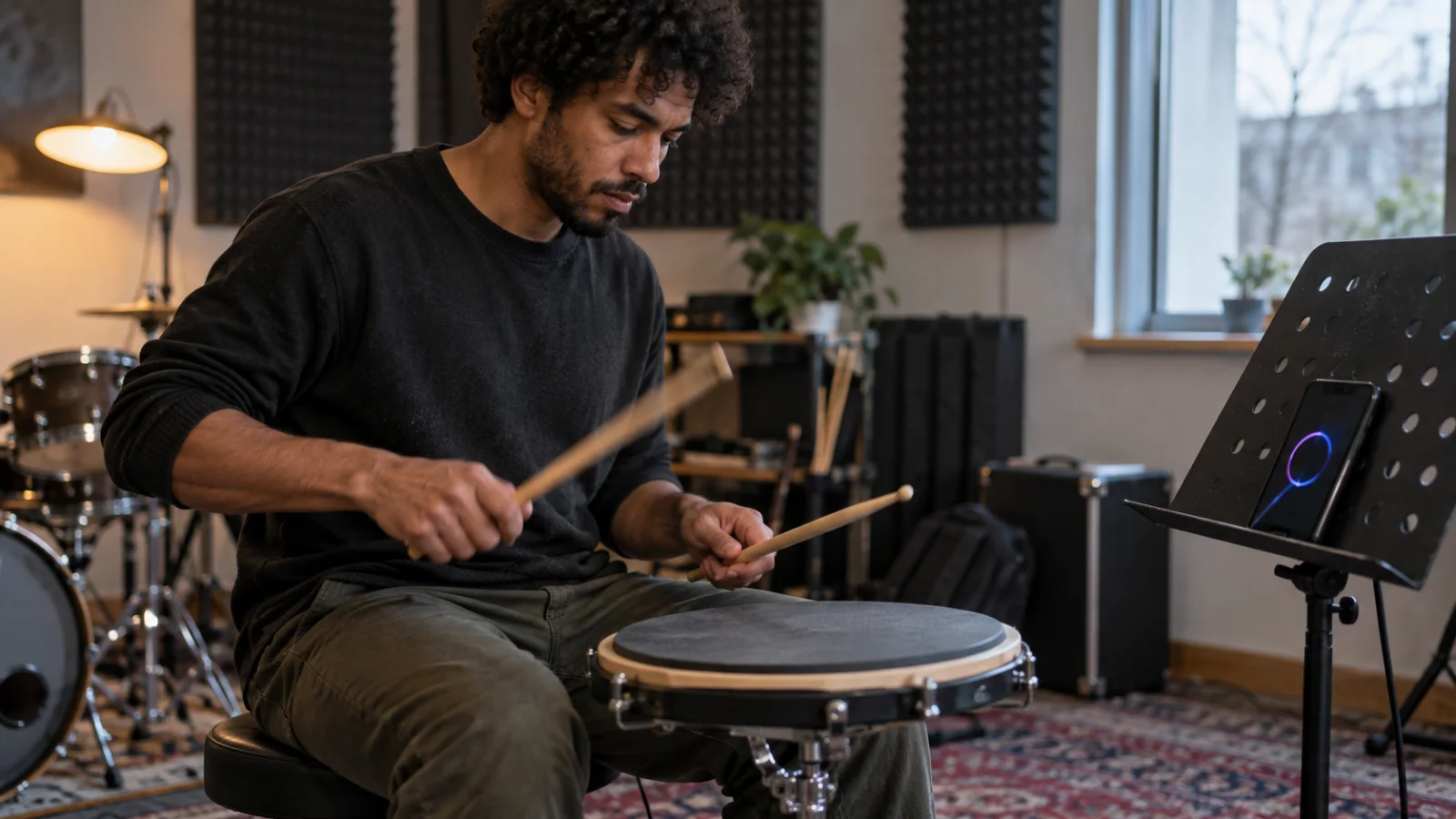
The best metronome app depends on what you practise. For a free metronome app with a speed trainer and setlists, Metronome Beats (Android, iOS and web). For daily practice routines, Soundbrenner (free, with a Plus subscription). On iPhone and Apple Watch, Pro Metronome is free with cheap paid unlocks. For drummers who need odd meters and setlists on stage, Tempo by Frozen Ape ($2.99 on the App Store, with a free Lite version) goes from 10 to 800 BPM in 35 time signatures. For guitar students who want tuner and metronome in one purchase, Tunable ($7.99, no subscription), or Soundcorset, free with ads. If you don’t want to install anything, our free tap tempo metronome runs in the browser, and in the Zoundroom app you write that tempo next to each song’s lyric.
Every price and platform below was checked on October 2, 2026 on the App Store and the developers’ official pages. We describe what each app documents and who it suits; we didn’t run hands-on tests.
Metronome apps compared
| App | What it is for | Platforms | Free plan | Price | Best for |
|---|---|---|---|---|---|
| Tap tempo metronome (zoundroom.com) | Find a song’s BPM by tapping, then a click in 4/4, 3/4, 2/4 or 6/8 | Any browser | Everything, no account or install | Free | A quick click, or finding the BPM of a song |
| Metronome Beats | Metronome with speed trainer, muted bars, setlists, count-in and visual beat | Android, iOS, web | Free version | Pro version; its official page doesn’t show the price | Free speed training, especially on Android |
| The Metronome by Soundbrenner | Metronome with subdivisions, accents, setlists, practice tracker and tuner | iPhone, iPad, Android | Free download | Soundbrenner Plus: in-app purchases from $4.99 to $79.99 | Daily practice goals and Soundbrenner wearables |
| Pro Metronome | Metronome with accents, visual modes and Apple Watch; paid subdivisions, polyrhythms and playlists | iPhone, iPad, Apple Watch | Core metronome, accents, visual modes | Pro Version $3.99, or single unlocks from $0.99 | iPhone and Apple Watch users on a budget |
| Tempo (Frozen Ape) | Metronome with setlists, 35 time signatures and 10–800 BPM | iPhone, iPad, Mac, Apple Watch; paid Android version | Tempo Lite | $2.99 on the App Store | Drummers and bands with setlists and odd meters |
| Tunable | Tuner, metronome, tone generator and practice recorder | iPhone, iPad, Mac, Android | None on the App Store | $7.99 once, no subscription | Students who want tuner and metronome in one app |
| Soundcorset | Tuner and metronome with subdivisions, vibration, flash and a recorder | iPhone, iPad, Mac | Free with ads | Remove ads $0.99 a month; membership $5.49 a month | A free tuner and metronome if ads don’t bother you |
| Zoundroom app | Songwriting app: the tempo written in the song’s note, plus a click and count-in in the multitrack editor when you record over a take | iPhone, Android, web | Yes: 2 projects | Pro €7.99 a month or €59.99 a year | Songwriters who keep the tempo with the song |
How we compared them
The criteria are the ones that change your practice: tempo range, which meters the app offers (simple, compound and odd), subdivisions and accents, setlists or saved tempos, how the click reaches you (sound, flash or vibration), practice tools such as a speed trainer or muted bars, platforms and price. Every fact comes from official sources: App Store listings, developer pages and product documentation, checked on October 2, 2026, with links at the end. App Store prices are those of the US store in dollars; Zoundroom’s are in euros, as its pricing page shows them. Where an official page doesn’t show a price, the table says so instead of guessing. We left out the free BOSS Tuner app: its official page describes a chromatic tuner and lists no metronome.
What to look for in a metronome app
A click is a click until you need one of these five things. Check them against what you actually practise.
Subdivisions
A subdivision splits each beat into smaller clicks: two for eighth notes, three for triplets, four for sixteenths. At 60 BPM with sixteenths you hear 240 clicks a minute, which is how drummers and guitarists clean up fast strumming or fills at a slow tempo. Our web tool doesn’t subdivide; most apps here do, Pro Metronome only in its paid version.
Odd and compound meters
In 6/8 the pulse is the dotted quarter: you feel two beats (1-2-3, 4-5-6), not six. Odd meters such as 5/4 or 7/8 are usually grouped, for example 7/8 as 2+2+3. If you play prog, Balkan music, jazz or film music, you want an app that lets you accent the groups, like Tempo (35 time signatures) or Tunable (1–16 beats per measure with accents on single subdivisions).
Setlists of tempos
A setlist stores each song’s tempo and meter so you can step through a rehearsal or a gig without retyping numbers. Tempo, Soundbrenner, Metronome Beats and Pro Metronome (paid) have them. For planning the set itself, with keys, tempos and lengths, our free setlist maker adds up the running time and prints a sheet for the stage.
Sound, visual and haptic click
On a loud stage a click in your ear may not be enough. Look for a flash mode (Tempo, Tunable, Soundcorset, Pro Metronome Pro), vibration (Tempo, Soundcorset, Pro Metronome Pro) or a wearable: Soundbrenner’s app works with its Pulse and Core devices, sold separately.
Practice tools
A speed trainer raises the tempo by itself, for example 2 BPM every 4 bars. Muted bars play the click for a few bars and then go silent, so you find out whether your time holds on its own. Metronome Beats documents both; Pro Metronome adds a practice mode with automatic tempo changes in its paid version.
Tap tempo metronome: best for a click without installing anything
Our tap tempo metronome is a free web tool: tap the button (or press T) along with a song and it shows the BPM; then press play for a click from 30 to 260 BPM in 4/4, 3/4, 2/4 or 6/8, with the first beat of each bar higher. In 6/8 it clicks the six eighth notes with the pulse on 1 and 4. You can nudge the tempo one BPM at a time, halve or double it, or jump to common tempos (60, 72, 90, 100, 120, 140). The click plays as regular audio, so it works on an iPhone with the silent switch on, and it doesn’t use the microphone or save anything. A link opens the chord progression player at the same tempo, so you can strum or sing over chords instead of a bare click.
Choose it if: you need a click now, on any device, or want to know the tempo of a song before you practise it. To get the tempo from an audio file instead of tapping, the song key and BPM finder analyses it in your browser.
Its limit: no subdivisions, no odd meters such as 5/4 or 7/8, no setlists, no flash or vibration. It’s a quick tool, not a practice app.
Metronome Beats: best free speed trainer
Metronome Beats by Stonekick is one of the most downloaded metronomes on Android; its developer reports more than 10 million downloads and lists Android, iOS and a web version. The official page describes tap tempo, complex and compound time signatures, a trainer that speeds up or slows down gradually or mutes certain bars, setlists for live use, a timer with count-in and countdown, custom click sounds, and a visual beat you can follow with the sound off.
Choose it if: you practise on Android and want a speed trainer and muted bars without paying.
Its limit: there is a free version and a Pro version, but the official page doesn’t say which features are Pro or what Pro costs. Check the store listing on your phone before you count on setlists.
Soundbrenner: best for practice routines and wearables
The Metronome by Soundbrenner is free on iPhone, iPad and Android. Its App Store listing describes customizable time signatures and subdivisions, more than 20 click sounds, beat accents, setlists you can save and load, a practice tracker with daily and weekly goals and streaks, practice reminders, a chromatic tuner with more than 100 tuning profiles and home screen widgets. It also connects to Soundbrenner’s Pulse and Core wearables, which turn the click into vibration.
Choose it if: you want the metronome, a tuner and a practice log in one app, or you already own a Soundbrenner wearable.
Its limit: some features need Soundbrenner Plus. The US App Store lists Plus purchases from $4.99 to $79.99 without saying which is monthly or yearly, and the listing doesn’t spell out which features are free; practice statistics graphs, for example, are marked for Plus subscribers.
Pro Metronome: best for iPhone and Apple Watch on a budget
Pro Metronome, from Polybeat, is free on iPhone and iPad and runs on Apple Watch. The free version covers 13 click sounds including a voice count, time signature and accent settings (f, mf, p and mute), colour and pendulum modes, a timer and playback with the screen locked, without ads. The Pro Version ($3.99) or single unlocks from $0.99 add flash and vibration modes, subdivisions (triplets, dotted notes), polyrhythms, playlists, a rhythm trainer, a stage mode and a practice mode with automatic tempo changes. The listing also shows plans at $0.99 a month or $3.99 a year.
Choose it if: you want a clean metronome on your wrist, or polyrhythms for a few dollars.
Its limit: subdivisions, the one feature most players need first, are paid. Its App Store listing covers Apple devices only; we didn’t verify an Android version.
Tempo by Frozen Ape: best for drummers, setlists and odd meters
Tempo costs $2.99 on the App Store and runs on iPhone, iPad, Mac and Apple Watch. The listing describes a range of 10 to 800 BPM, 35 time signatures including compound and complex meters, 6 rhythm patterns for simple meters and 3 for compound ones, custom accents, setlists, tap tempo, a vibration mode and visual feedback with pulsating LEDs, a pendulum and a fullscreen flash. A free Tempo Lite exists with fewer features, and Android has its own paid version, Metronome: Tempo, plus a free Lite on Google Play.
Choose it if: you play drums or lead a band, change tempo and meter between songs, and want each song’s setting ready in a setlist.
Its limit: the full app is paid up front, and the only in-app purchases listed are themes. We checked the iOS price; check the Android price in your store.
Tunable: best tuner and metronome in one purchase
Tunable costs $7.99 on the App Store, one purchase with no subscription and no ads, and its official site lists iPhone, iPad and Android. The metronome goes from 1 to 400 BPM with 1 to 16 beats per measure and subdivisions down to the 512th note, and you can accent or mute each subdivision. You set the tempo by tapping the centre, choose from more than 30 sounds, see a large number display with an optional flash, keep it playing with the screen locked, and sync it with nearby devices through Ableton Link. The tuner shows how steady your notes are, and there is a tone generator and a recorder.
Choose it if: you’re a student or teacher who wants tuner, metronome and practice recording in one app without a subscription.
Its limit: there is no free version on the App Store, and it has no setlists of tempos in its listing. We verified the iOS price only.
Soundcorset: best free tuner and metronome, with ads
Tuner & Metronome Soundcorset is free on iPhone, iPad and Mac, with ads. The listing describes subdivisions including triplets and sixteenths, a different sound for the downbeat, a flash light mode, vibration, a BPM detector, rhythm patterns and a one-touch recorder, next to a chromatic tuner. In-app purchases remove the ads ($0.99 for a month) or add a membership ($5.49 a month).
Choose it if: you want tuner, metronome and a quick recorder for free and can live with ads.
Its limit: the free version shows ads, and we verified only its App Store version.
If the tuner matters more to you than the click, the best guitar tuner apps compares Soundcorset with GuitarTuna, Fender Tune and other dedicated tuners.
Zoundroom: best for keeping each song’s tempo with its lyric and takes
For a songwriter, the tempo belongs to the song. Zoundroom keeps each song in one project with its lyric, chords, voice memos and imported audio, so you write “92 BPM, 4/4, eighths” at the top of the song’s note and record the take right inside that note, where the audio is inserted at the cursor. When you record over a take, the multitrack editor («Edit audio») estimates its BPM and key as it opens, plays a «Metronome» at that tempo and gives you a count-in of 1 or 2 bars, so the new vocal or guitar part lands in time. Type another tempo in the BPM chip and the take speeds up or slows down at the same pitch, handy when the chorus feels better at 88 than at 92.
Pro matters once every song has its takes: Free gives you 2 projects, 5 items and 5 editing sessions in total, while Pro holds up to 1,000 projects and 10,000 items and records over your takes without counting sessions. Pro is 7 days free on iPhone and on the web. A concrete next step: tap the tempo of your new chorus in the web tool, open the song’s project, write the BPM above the lyric and record a take of the chorus at that tempo.
Choose it if: you write songs and want each idea’s tempo kept next to its lyric and recordings.
Its limit: to practise with a click, use our web metronome or one of the apps above.
Which metronome app to choose
By player:
- Drummers: Tempo for setlists and odd meters, or Soundbrenner if a vibrating wearable helps you on stage. For subdivisions on a practice pad, any app with sixteenths and triplets works.
- Guitarists: Tunable or Soundbrenner if you want the tuner in the same app; Soundcorset if it has to be free. Practise strumming with eighth-note subdivisions on.
- Singers: a soft click and a count-in matter more than features. Our web tool or the count-in of Metronome Beats; if you record over a demo in Zoundroom, the count-in of its multitrack editor.
- Students: Metronome Beats for a free speed trainer, Soundbrenner for goals and streaks.
- Bands: Tempo or Soundbrenner setlists for the gig, and our setlist maker to plan keys, tempos and running time.
- Songwriters: our web metronome for the click and the Zoundroom app so the tempo stays written down with the song.
By device:
- Android only: Metronome Beats, Soundbrenner, Tunable or the Android version of Tempo.
- iPhone and Apple Watch: Pro Metronome or Tempo.
- No install, any device: our tap tempo metronome.
A 15-minute routine with any metronome
Here is a routine for one passage, with real numbers. Say the song you’re learning runs at 120 BPM (if you don’t know, tap it in the web tool, or read what BPM means and its genre ranges).
- Minutes 0–2: set 84 BPM, about 70 % of the target, quarter notes only. Play the passage until it is clean twice in a row.
- Minutes 2–7: keep 84 BPM and switch the subdivision: eighths, then triplets, then sixteenths. The click fills the gaps where your timing drifts.
- Minutes 7–11: raise the tempo 4 BPM at a time (88, 92, 96…). When it breaks, go back 4 BPM and play it twice clean. With a speed trainer, set +2 BPM every 4 bars instead.
- Minutes 11–13: click on 2 and 4 only. At 120 BPM in 4/4, beats 2 and 4 fall once a second, so set the metronome to 60 BPM and feel each click as the backbeat.
- Minutes 13–15: if your app mutes bars, play 2 bars with click and 2 without; check that you land with the click when it comes back.
Copy this log and fill a line each day:
Passage: ______________   Target: ___ BPM   Meter: ___
Date    | Clean at | Subdivision | Broke at | Note
Oct 2   | 92 BPM   | sixteenths  | 100 BPM  | rushes the fill into bar 4
Oct 3   |          |             |          |
When the clean tempo reaches the target, play along with the recording. If you sing and play at the same time, our guide to singing and playing guitar at once uses the same slow-to-fast method, and how to run a band rehearsal shows where a click fits when the whole band practises. Our apps for musicians in 2026 covers the rest of the kit, and how to make a setlist helps when the tempos turn into a gig.
Frequently asked questions
What is the best free metronome app?
Metronome Beats has a free version with a speed trainer and muted bars; Soundbrenner and Pro Metronome are free downloads with paid extras; Soundcorset is free with ads. If you only need a click and a BPM, our tap tempo metronome is free in the browser with no account.
What is the best metronome app for drummers?
Tempo by Frozen Ape, for its 35 time signatures, setlists, tap tempo and flash and vibration modes ($2.99 on the App Store, paid on Android too). Soundbrenner suits drummers who want vibration through its wearables and a practice log.
Is there a metronome without downloading an app?
Yes. Our tap tempo metronome runs in the browser on any phone or computer. Searching “metronome” on Google often shows a simple metronome in the results too, but Google doesn’t document it on an official page, so we left it out of the table.
What is the best metronome app for guitar?
One with a tuner: Tunable (one purchase, no subscription), Soundbrenner (free download) or Soundcorset (free with ads). For strumming practice, use eighth or sixteenth subdivisions; for a free tuner in the browser, there is our online guitar tuner.
Do I need a metronome with vibration?
Only if you can’t hear the click: loud stages, acoustic drums, or practising late with no sound. Tempo, Soundcorset and Pro Metronome (paid) vibrate the phone; Soundbrenner works with vibrating wearables, sold separately.
Sources
Official pages and store listings checked on October 2, 2026:
- App Store: The Metronome by Soundbrenner (price, Plus in-app purchases, features, compatibility)
- Soundbrenner: The Metronome app (iOS and Android, setlists, practice tracker, wearables)
- App Store: Pro Metronome (free and Pro features, in-app purchases, Apple Watch)
- App Store: Tempo – Metronome with Setlist (price, BPM range, time signatures, setlists)
- App Store: Metronome: Tempo Lite (free Lite version)
- Google Play: Metronome: Tempo (Android version)
- Stonekick: Metronome Beats (platforms, trainer, setlists, downloads)
- App Store: Tunable (price, metronome range and subdivisions)
- Tunable: official site (iPhone, iPad and Android, one purchase, Ableton Link)
- App Store: Tuner & Metronome Soundcorset (free with ads, in-app purchases, features)
- BOSS: BOSS Tuner app (a chromatic tuner app, no metronome listed)