
Best guitar tuner apps in 2026: free, iPhone and Android
Published
GuitarTuna, Fender Tune, Pano Tuner, gStrings, Soundcorset, iStroboSoft, Tunable and our free online tuner compared: modes, tunings, cents and prices.
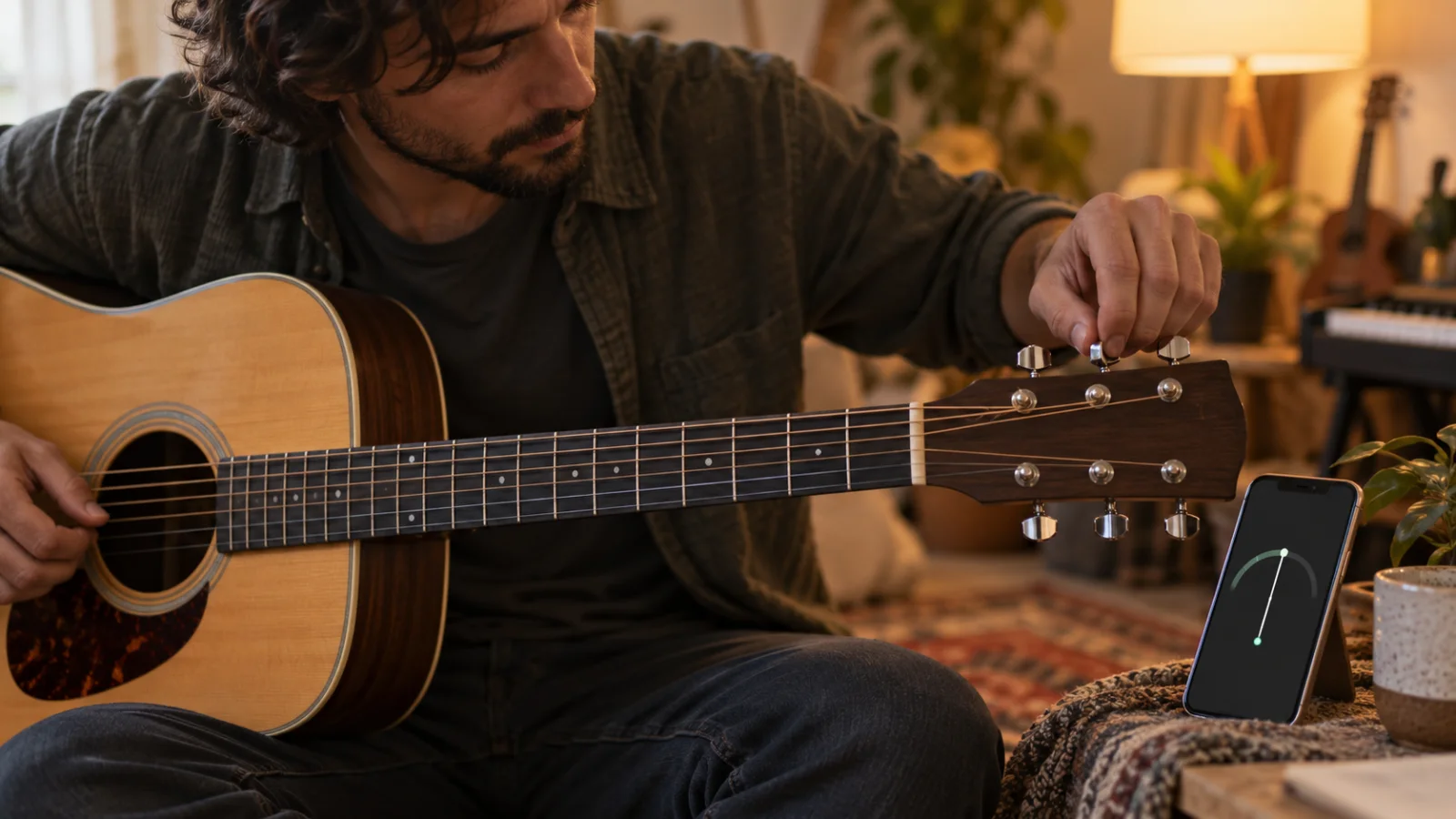
The best guitar tuner app for most players is free: GuitarTuna or Fender Tune, both on iPhone and Android, with an automatic guitar mode, a chromatic mode and alternate tunings. On Android, gStrings is a classic free chromatic tuner for any instrument, and Pano Tuner and Soundcorset are free chromatic tuners on both platforms (Soundcorset adds a metronome). For precision work such as setting intonation, Peterson iStroboSoft ($9.99) reads to a tenth of a cent; Tunable ($7.99, iPhone and iPad) is a practice tool that shows how steady your notes are. If you don’t want to install anything, our free online tuner works in the browser with guitar, bass and ukulele tunings.
In a quiet room, any of these gets a guitar within a few cents. The real differences are the modes, the tunings, the ads and what else comes in the app. The table compares what each one documents in its store listing; after it, every pick gets its best use and one honest limit, plus what to do in a noisy rehearsal room.
Best guitar tuner apps compared
| App | What it’s for | Platforms | Free plan | Price | Best for |
|---|---|---|---|---|---|
| GuitarTuna | Tuner plus chords, songs and practice games | iPhone, iPad, Android | Tuner free, 15 instruments | Paid plans from $6.49 a month or $29.99 a year (US App Store) | Beginners and players of several instruments |
| Fender Tune | Auto, manual and chromatic tuner | iPhone, iPad, Android | Free, 26 tunings; Tune Plus extras with a free sign-up | Free | Alternate tunings at no cost |
| Pano Tuner | Chromatic tuner with hertz and cents | iPhone, iPad (Pano Tuner Lite), Android | Free with ads | On Android, a one-time purchase removes ads | Exact readings on any instrument |
| gStrings | Chromatic tuner for any instrument | Android | Free with ads | A paid ad-free version is listed | A classic Android tuner |
| Soundcorset | Chromatic tuner and metronome | iPhone, iPad, Android | Free with ads | Ad removal as an in-app purchase | Tuning and practicing with a click in one app |
| Peterson iStroboSoft | Strobe tuner, 0.1-cent accuracy | iPhone, iPad, Android | No | $9.99 (US App Store), plus add-on packs | Intonation and guitar setups |
| Tunable | Chromatic tuner, metronome, tone generator, recorder | iPhone, iPad | No | $7.99 (US App Store) | Seeing how steady your pitch is |
| Zoundroom online tuner | Guitar, bass and ukulele tuner in the browser | Any browser with a microphone | Free, no account | Free | A laptop, or alternate tunings without installing |
| Zoundroom app | Song projects that keep the riff with its tuning written down; you tune first with the online tuner | iPhone, Android, web | Yes: 2 projects | Pro €7.99 a month or €59.99 a year | Keeping the idea after tuning with the online tuner |
How we compared them
Every fact in the table comes from official sources: each app’s App Store listing (including Apple’s public lookup data for prices and last update dates), its Google Play listing and the maker’s own description, all checked on October 2, 2026, with links at the end. The criteria are what a guitarist needs from a tuner: which modes it offers (automatic guitar mode, chromatic, manual string selection), which tunings and instruments it covers, what it shows (note, cents, hertz), what is free and what costs money, and whether the app is still being updated. For our own online tuner we read the code of the page. We did not run hands-on tests; this compares what each company documents. Prices come from the US App Store and change often.
Chromatic or guitar mode, cents and alternate tunings: what the words mean
Guitar mode (often called auto mode) knows the six target notes of the tuning you choose. You pluck a string, the app guesses which one it is and shows how far it is from its target. It’s the fastest way to tune in standard or in a preset like Drop D. Our online tuner works this way.
Chromatic mode shows the nearest of the 12 notes, whatever you play. You need it when you use a capo, when your tuning isn’t in the list, for instruments the app doesn’t know, or to check intonation at the 12th fret. GuitarTuna, Fender Tune, Pano Tuner, gStrings, Soundcorset, iStroboSoft and Tunable all describe a chromatic tuner. In the browser, what note am I singing reads any note with its cents, so it also works as a chromatic check with a capo on.
Manual mode lets you tap a string, hear its reference note and tune to it, by ear or with the needle. Fender Tune calls it Manual Tune Mode; on our online tuner, tapping a string locks it and plays its tone.
Cents measure how far off you are. An equal-tempered semitone, the distance between two neighboring frets, spans 100 cents, and an octave 1,200. Listeners can notice differences of about 5 to 6 cents, so a green zone of ±5 cents, the one our online tuner uses, is tight enough to play and record. Claims of ±1 cent (BOSS Tuner, Cleartune) or 0.1 cent (iStroboSoft) matter when you adjust a guitar’s intonation, not for tuning before a song.
The A4 reference is the pitch everything is measured against, usually 440 Hz. Pano Tuner, gStrings, Soundcorset and our online tuner let you change it (ours goes from 415 to 460 Hz). Change it only if you play with an instrument tuned to another reference.
Alternate tunings change the target notes: Drop D, half step down, DADGAD, open G, open D. Fender Tune lists 26 free tunings and lets you save your own with Tune Plus; GuitarTuna’s Google Play listing mentions more than 100 tunings, with custom ones on a paid plan; our online tuner has six for guitar, two for bass and standard ukulele. The how to tune a guitar guide explains each one and how to tune by ear.
Noisy rooms and the stage: when a clip-on tuner is better
A phone tuner listens through the microphone, so it hears the whole room. At home that’s fine; in a rehearsal room with a drummer warming up, it will jump between notes. GuitarTuna’s listing mentions noise cancellation, and the paid plan of the Cifra Club tuner adds a noise filter, but no microphone can separate your string from a loud band. Four habits help: play one string at a time and mute the others, let it ring instead of plucking it again, hold the phone close to the soundhole or the amp, and tune before the others start playing.
On stage or in a loud room, a clip-on tuner is the better tool. It clamps to the headstock and reads the instrument’s vibration through a piezo sensor instead of sound, so the people around you don’t confuse it, as D’Addario’s description of its Headstock Tuner explains. On an electric guitar, a pedal tuner on your board does the same job through the cable; the BOSS Tuner app copies the look of BOSS’s TU-3 pedal tuner. Many players keep both: the app at home, the clip-on in the gig bag. iStroboSoft also accepts an external microphone or a direct instrument signal through an adapter, according to its listing.
GuitarTuna: best free tuner for beginners and several instruments
GuitarTuna, by Yousician, has tuners for 15 instruments: guitar, 7-string and 12-string guitar, bass and 5-string bass, ukulele, cavaquinho, banjo, mandolin, violin, viola, cello and more. The tuner itself is free, with noise cancellation, a left-handed mode and a metronome. Around it, the app adds chords, songs, games and lessons, which is where the paid plans come in: on the US App Store, GuitarTuna Tools costs $6.49 a month or $29.99 a year, and the Play and Learn plans cost more. Custom tunings need a paid plan. It has close to 148,000 ratings on the US App Store, averaging 4.8, and it was updated in September 2026.
Choose it if: you’re starting out, or you tune a ukulele, a bass or a cavaquinho as well as a guitar.
Its limit: the app pushes its lessons and subscriptions; if all you want is the needle, it shows you more than you need.
Fender Tune: best free tuner for alternate tunings
Fender Tune has three modes: Auto, where you pluck and it detects the string; Manual, where you tap a string on the on-screen Fender headstock and hear its note; and Chromatic, which recognizes all 12 notes. It covers guitar, bass and ukulele and lists 26 tunings, including Drop D, Open G, Open D and Drop C. Tune Plus adds a Pro Tuner, more than 5,000 chord diagrams, more than 2,000 scales, a metronome, 65 drum rhythms and saved custom tunings; the App Store listing presents it as a free sign-up, as a limited-time offer. On Android it appears as Fender Guitar Tuner, with more than 5 million downloads.
Choose it if: you play in Drop D, open G or half step down and want those presets without paying.
Its limit: the extras ask you to create a Fender account, and on iPhone the current version needs iOS 17.6 or later.
Pano Tuner: best free chromatic tuner with exact readings
Pano Tuner, by Kaleloft, follows notes from a low bass string up to a piccolo and shows the note with its exact frequency in hertz and cents. It includes nine historical and microtonal temperaments, lets you build your own, change the concert A and play a reference tone. On iPhone and iPad the free version is called Pano Tuner Lite and has ads; on Android, Pano Tuner is free and a one-time purchase removes the ads. The iOS app was updated in September 2026.
Choose it if: you want a clean chromatic needle with hertz and cents, for a guitar or for any other instrument at home.
Its limit: there are no guitar presets to speak of; you read the note and decide which string it should be.
gStrings: best chromatic tuner for Android
gStrings, by cohortor, has more than 10 million downloads on Google Play. It is a chromatic tuner for guitar, bass, violin, cello, piano, wind instruments and voice, with built-in instruments and tunings, custom tunings, temperaments, an orchestra tuning setting for the A reference and a pitch pipe. The free version is ad-supported; a paid version is also listed on Google Play.
Choose it if: you have an Android phone and want a free tuner that does one job.
Its limit: Android only, and the free version shows ads.
Soundcorset: best tuner and metronome in one free app
Soundcorset combines a chromatic tuner, with a pitch fork mode and an adjustable A4, and a metronome with a BPM detector, a practice timer and a visual click that flashes the camera light. You can also upload sheet music and record yourself playing over it. It handles transposing instruments, which matters if you share the app with a sax or trumpet player. On the App Store it is free with ads, and an in-app purchase removes them; on Android it is free on Google Play.
Choose it if: you practice with a click and want the tuner and the metronome in the same place.
Its limit: it’s built for all instruments, so the guitar screen is less guided than GuitarTuna or Fender Tune.
If the click matters more to you than the tuner, the best metronome apps compares Soundcorset with Tempo, Soundbrenner and other dedicated metronomes.
Peterson iStroboSoft: best for precision and intonation
iStroboSoft brings Peterson’s strobe tuners to the phone: a strobe display with 0.1-cent accuracy, a guided mode that slows the bands as you get close, 12 temperaments, assisted low note detection, a mains hum filter and a drop and capo mode that transposes the readings. It accepts an external microphone or a direct instrument signal through an adapter. It costs $9.99 on the US App Store, with add-on packs such as Guitar and Bass Sweeteners; it is also on Google Play. The App Store shows its last update in October 2023.
Choose it if: you adjust your own intonation, set up guitars or need to tune to a tenth of a cent.
Its limit: it costs money for a precision most players don’t need before a song, and the strobe display takes a minute to learn.
Tunable: best for practicing steady pitch
Tunable, by AffinityBlue, is a practice tool rather than a guitar tuner: a chromatic tuner with Sustained Pitch History, which draws how steady your note stays over time, a tone and chord generator with more than 15 temperaments, a metronome with a visual pulse and a recorder for your practice. It costs $7.99 on the US App Store, with about 6,800 ratings averaging 4.8. Singers and wind players use the pitch history; for a guitarist it’s a way to hear whether a bend lands where it should. If singing in tune is your goal, our best apps for singers covers vocal pitch apps.
Choose it if: you also sing or play a melody instrument, and you want to see your pitch, not just fix a string.
Its limit: it’s a paid app on iPhone and iPad, the App Store shows its last update in August 2021, and we couldn’t confirm a current Android version.
Zoundroom’s online tuner and app: best for tuning and keeping the idea
Our free online tuner runs in the browser on a phone or a laptop. Choose guitar (standard, Drop D, half step down, DADGAD, open G or open D), bass (E A D G or Drop D) or ukulele (G C E A), press Start and pluck: Auto finds the nearest string, or tap a string to lock it and hear its reference tone. It shows the note, the hertz and the cents, turns green within ±5 cents, lets you set A4 between 415 and 460 Hz, and keeps the sound on your device.
Tuning is the two minutes before the part that matters: the riff that shows up once the guitar rings true. That is where the Zoundroom app comes in. Each song is a project that keeps the lyric, the chords, the voice memos and imported audio files together, and you record inside the song’s note, so the riff lands right under the line that says how the guitar was tuned. On the same phone, tune in the browser with the online tuner (standard, Drop D, DADGAD, bass or ukulele), then switch to the app and tap the microphone in the note. A concrete next step: tune, create a project with the song’s working title, type the tuning and the capo on the first line of the note, and record the riff just below it.
Pro matters once the riffs pile up: Free holds 2 projects and 5 items, while Pro holds up to 1,000 projects and 10,000 items, notes of up to 10,000 characters for the tuning, chords and lyric, and PDF chord sheets in the song’s «Files» tab. Pro is 7 days free on iPhone and on the web; the plans are on the pricing page.
Copy this header into the first lines of the note before you record:
Song: Salt on the Window
Tuning: Drop D (D A D G B E), A4 = 440 Hz
Capo: 2
First line: "The kettle knows I'm leaving before I do"
Take: riff, 2 of 3 (keeper)
Choose it if: you’re on a laptop, need bass, ukulele or an alternate tuning without installing anything, or want the idea you play after tuning saved with its song.
Its limit: the online tuner measures against the open-string notes, so with a capo on, use the note reader mentioned above.
Two well-known names we left out of the table
BOSS Tuner is free on iPhone and iPad, with BOSS’s chromatic tuning, the look of the TU-3 pedal and ±1 cent accuracy over a range from A♯0 to G8. The App Store shows its last update in October 2017. Cleartune, by Bitcount, is a chromatic tuner with a note wheel, ±1 cent accuracy and temperaments, for $3.99; its last App Store update is from June 2020. Both still install, but apps that haven’t been updated for years are a risk on a new phone, so we preferred the ones still maintained.
Which tuner app to choose
- iPhone, first guitar: GuitarTuna or Fender Tune.
- Android, free, no account: gStrings, or Pano Tuner if you want hertz and cents.
- Drop D, open G, half step down: Fender Tune, or our online tuner in the browser.
- Bass: GuitarTuna (including 5-string), Fender Tune or our online tuner (E A D G and Drop D). Play the low strings close to the microphone or the amp.
- Ukulele: GuitarTuna, Fender Tune or our online tuner (G C E A); our guide to writing a song on ukulele uses that tuning.
- Classical guitar: the same six notes as standard tuning, so any of them works; new strings stretch, so check them again after a few minutes.
- With a capo: a chromatic mode, or what note am I singing; the capo chart tells you which key you end up in.
- Tuner and click together: Soundcorset, or Tunable on iPhone.
- Intonation and setups: Peterson iStroboSoft.
- Rehearsal room or stage: a clip-on or pedal tuner, with an app as a backup.
- Tuning, then writing: our online tuner to tune and the Zoundroom app so the riff goes into the song’s project with its tuning written down. Our guide to writing a song on guitar picks up from there.
A 15-minute test with your own guitar
| Minutes | What to do | What it tells you |
|---|---|---|
| 0–3 | Install two apps from the table, or open one next to our online tuner | Which one starts listening faster |
| 3–7 | Tune the six strings with the first, then check them with the second | Whether they agree within a few cents |
| 7–10 | Tune the low E with a fan or a TV on in the room | Which one holds the reading with noise |
| 10–13 | Switch to Drop D, or put a capo on the 2nd fret and use chromatic mode | Whether the tuning or mode you need is free |
| 13–15 | Play a G chord and an E chord; if both ring clean, play the idea you came to play | Whether you’re ready, and where the idea will live |
If the two apps disagree by a lot on one string, drop it clearly below the note and tune it slowly back up, as the tuning guide recommends. If chords still sound off when every string is green, it may be intonation; the tuning guide explains the 12th-fret check. And if you sing while you play, our plan to sing and play guitar at the same time is the next step.
Frequently asked questions
What is the best free guitar tuner app?
For most players, GuitarTuna or Fender Tune: both are free on iPhone and Android, with an automatic mode, a chromatic mode and alternate tunings (Fender Tune lists 26 free ones). On Android, gStrings is a reliable free chromatic tuner. Without installing anything, our online tuner works in the browser.
What is the best guitar tuner app for Android?
gStrings and Pano Tuner if you want a pure chromatic tuner, Fender Tune (listed as Fender Guitar Tuner) or GuitarTuna if you want guitar presets. Soundcorset adds a metronome. Peterson iStroboSoft is also on Google Play for precision work.
Are tuner apps accurate enough?
Yes, for tuning before you play. A difference of about 5 to 6 cents is around the limit people notice, and phone tuners show readings well inside that in a quiet room. Precision tools such as iStroboSoft (0.1 cent) matter for intonation and setups. In a loud room, the problem is noise, not accuracy: use a clip-on tuner.
What’s the difference between a chromatic tuner and a guitar tuner?
A guitar tuner (auto mode) compares each string with the target notes of the tuning you picked. A chromatic tuner shows the nearest of the 12 notes, whatever you play, so it works with a capo, any tuning and any instrument.
Can I tune a guitar online without an app?
Yes. Our online guitar tuner uses your microphone in the browser, has guitar, bass and ukulele tunings and plays a reference tone for each string if you prefer to tune by ear. The sound stays on your device.
Sources
All pages checked on October 2, 2026.
- GuitarTuna: App Store (US) (free tuner, 15 instruments, noise cancellation, in-app purchases from $1.99 to $139.99, Tools at $6.49 a month or $29.99 a year, custom tunings on a paid plan) and Google Play (more than 100 tunings).
- Fender Tune: App Store (US) (Auto, Manual and Chromatic modes, 26 tunings, Tune Plus as a free sign-up, iOS 17.6 or later) and Fender Guitar Tuner on Google Play.
- Pano Tuner: Pano Tuner Lite on the App Store (free with ads, hertz and cents, nine temperaments) and Pano Tuner on Google Play (one-time purchase to remove ads).
- gStrings on Google Play (cohortor; free with ads, instruments, temperaments, pitch pipe, paid version).
- Soundcorset: App Store (US) (chromatic and pitch fork modes, metronome, free with ads) and developer page on Google Play.
- Peterson iStroboSoft: App Store (US) ($9.99, 0.1-cent accuracy, add-on packs, last update October 2023) and Google Play.
- Tunable on the App Store (US) ($7.99, Sustained Pitch History, last update August 2021).
- BOSS Tuner on the App Store (US) (free, ±1 cent, TU-3 style, last update October 2017) and Cleartune on the App Store (US) ($3.99, ±1 cent, last update June 2020).
- Cifra Club Tuner on Google Play (noise filter in the paid plan).
- Apple’s App Store lookup data for the US storefront (prices, rating counts and last update dates).
- Sweetwater: D’Addario Headstock Tuner (clip-on tuners read vibration through a piezo sensor).
- Wikipedia: Cent (music) (100 cents per semitone, about 5–6 cents as a threshold people notice).
- Zoundroom: the online guitar tuner, read in its code; plans and pricing.