
Best beat maker apps in 2026: iPhone, Android, web and free
Published
BandLab, GarageBand, FL Studio Mobile, Koala, Ableton Note, Groovepad, Soundtrap and Audiotool compared: prices, platforms, stems and who each beat app suits.
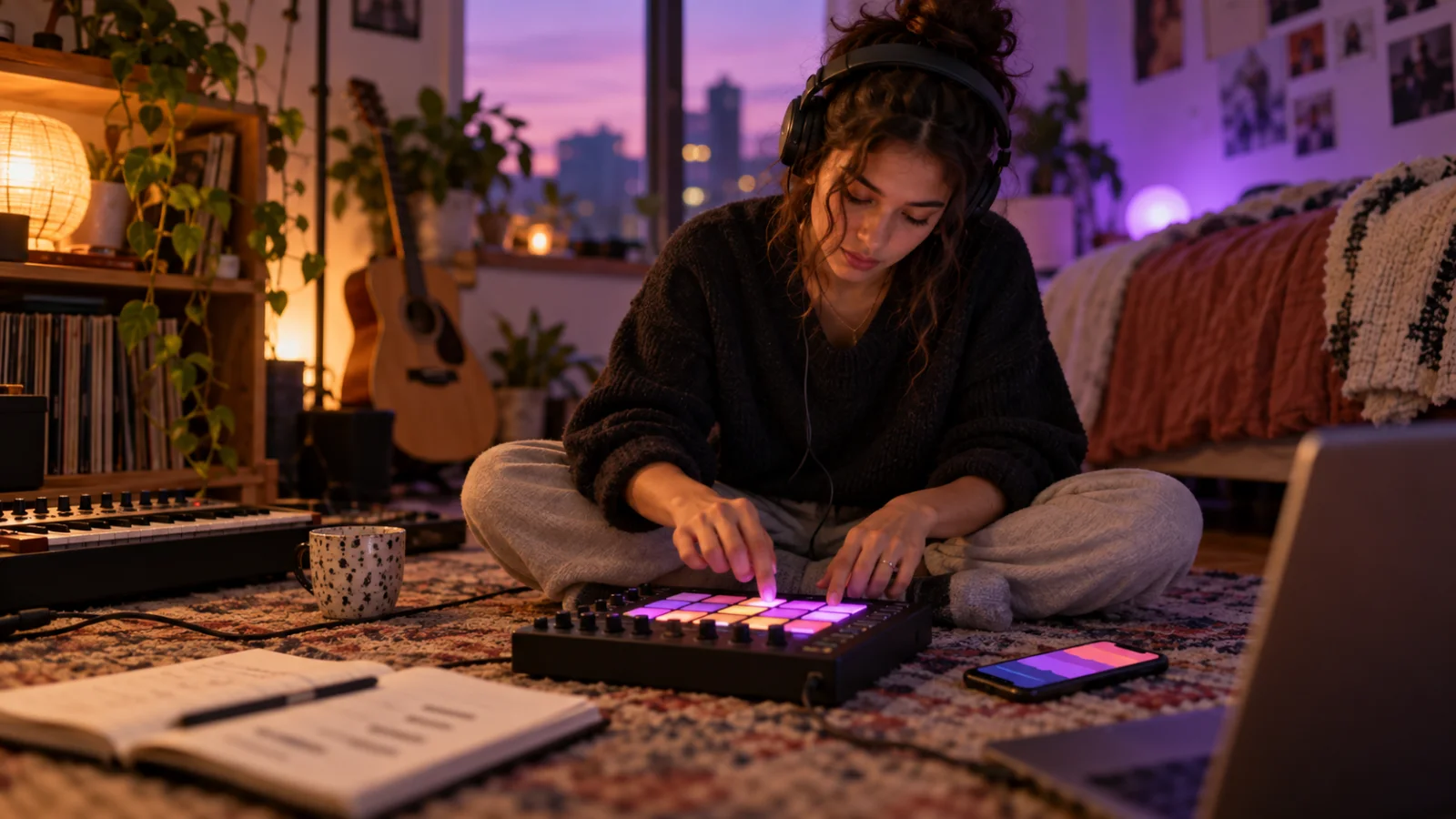
The best beat maker app depends on your phone and on how you like to build a beat. The best free option on Android and the web is BandLab, with a drum machine, a sampler and a looper. On iPhone, GarageBand is free and has Live Loops and a Beat Sequencer. For a complete beat on the phone, FL Studio Mobile ($14.99 once on the App Store, also on Android). For sampling, Koala Sampler ($4.99). For a free sketchpad that opens in Ableton Live, Ableton Note. For tapping loops with zero theory, Groovepad. To build beats with a friend in the browser, Soundtrap; for a free studio in a browser tab, Audiotool.
None of them writes the song for you. The table compares what each app documents; after it, each pick gets its best use and one honest limit. Then: sampler vs. loop vs. pattern apps, how to export stems, and what you may legally do with samples and free beats.
Best beat maker apps compared
| App | What it is for | Platforms | Free plan | Price | Best for |
|---|---|---|---|---|---|
| BandLab | Full studio with Drum Machine, Sampler and Looper | iPhone, iPad, Android, web | Yes, the whole studio | Membership $14.99/month or $149.99/year | Free beats on Android or a borrowed computer |
| GarageBand | Studio with Live Loops, Beat Sequencer and Drummer | iPhone, iPad (iOS 26 or later); separate Mac version | Whole app | Free | Free beats on iPhone |
| FL Studio Mobile | Step sequencer, piano roll and mixer for full tracks | iPhone, iPad, Mac, Android, Chromebook | No | $14.99 once (App Store) | A finished beat on the phone, then FL Studio on desktop |
| Koala Sampler | Sampler: record or load sounds, chop, sequence | iPhone, iPad, Mac (M1+); Android version linked on its site | No | $4.99 once (App Store) | Beats built from your own samples |
| Ableton Note | Pads, sampling and clips that open in Live | iPhone, iPad (iOS 15 or later) | Whole app | Free | Sketches you will finish in Ableton Live |
| Groovepad | Loop and pad player by genre | iPhone, iPad, Android | Some sound packs | Pro $46.99/year (US App Store) | Your first beat in minutes, no theory |
| Soundtrap | Browser studio with real-time collaboration | Browser, iPhone, iPad, Android | Free account | In-app plans from $4.99 | Making beats with a friend from two homes |
| Audiotool | Modular studio with drum machines in a browser tab | Browser | Whole studio, per its site | Free | Producing on a computer with nothing to install |
| Zoundroom | One project per song with the beat, the bars and the takes you record over it | iPhone, Android, web | Yes: up to 2 projects | Pro €7.99/month or €59.99/year | Writing and recording your bars over a beat you already have |
How we compared them
Every cell comes from official sources: App Store listings, Google Play listings, the developers’ own product pages and Splice’s licensing documentation, all checked on October 2, 2026, with links at the end. Prices are from the US App Store before tax; Zoundroom lists its prices in euros. The criteria are the ones that matter for someone who writes rap, trap, funk or pop over beats: what kind of beat app it is, where it runs, what you get without paying, the first paid option, whether you can export WAV files or stems, and how easily the beat travels to a computer. We did not run hands-on tests; this compares what each company documents. Google Play prices did not load for us that day, so where an app is paid on Android we say so instead of guessing.
Sampler, loop or pattern app: which kind you need
Beat apps look alike in screenshots, but they work in three different ways:
- Pattern apps (step sequencers and drum machines): a grid of 16 steps per bar. You switch steps on for kick, snare and hi-hat and the pattern loops. FL Studio Mobile, BandLab’s Drum Machine and GarageBand’s Beat Sequencer work like this. Best when you want control over every hit.
- Sampler apps: you record or import a sound, chop it and play it on pads. Koala Sampler and Ableton Note are built around this; BandLab has a Sampler too. Best when you want beats that sound like nobody else’s, made from a vinyl crackle, your voice or a kitchen pan.
- Loop and pad apps: you trigger loops that are already in time and in key. Groovepad, GarageBand’s Live Loops and BandLab’s Looper do this. Fastest way to hear something good, and the most similar to everyone else who uses the same pack.
Most people start with loops, move to patterns, and end up sampling. A full studio (FL Studio Mobile, GarageBand, BandLab, Soundtrap, Audiotool) lets you combine the three and arrange the beat into intro, verse and hook.
Here is what a simple pattern sounds like, made with the library’s synthesized examples:
What to listen for: after the one-second count-in, the snare lands on beat 3 of each bar, so 140 BPM feels like half that speed. The hi-hats run in sixteenth notes over the top. That is the grid you program in a step sequencer.
What to listen for: after the two-second count-in, the snare hits on beats 2 and 4 at 90 BPM, a slower and more swung pocket. Same grid, different placement.
BandLab: best free beat maker app for Android and the web
BandLab is free on iPhone, iPad, Android and the web, and its App Store listing describes the three beat tools: a Drum Machine with preloaded kits, a Sampler with over 250,000 royalty-free BandLab Sounds samples, and a Looper with loop packs. Splitter separates a finished song into vocals, drums, bass and other parts, and you can export MP3, MP4 and WAV. BandLab Beats lets you license one free beat each week, or claim 10 as a member. Membership costs $14.99 a month or $149.99 a year on the US App Store.
- Choose it if: you are on Android, or you switch between your phone and a school or library computer.
- Its limit: it is an account-based cloud platform with a social side; if you only want a private beat sketchpad, that is more than you need.
If that is why you’re looking elsewhere, our guide to BandLab alternatives compares free studios for PC, iPhone and Android.
GarageBand: best free beat maker app for iPhone
GarageBand is free on iPhone and iPad and needs iOS or iPadOS 26. For beats it offers Live Loops (tap cells to trigger loops), a Beat Sequencer inspired by classic drum machines, Drummer and a free downloadable Sound Library, with up to 32 tracks. Apple says you can sketch an idea on iPhone or iPad and continue it in GarageBand for Mac through iCloud.
- Choose it if: you have a recent iPhone and want a free studio where the beat and your vocal take live in the same song.
- Its limit: no Android, Windows or web version, and it needs iOS 26, so older iPhones are out. On a PC, read GarageBand for Android and Windows.
FL Studio Mobile: best for a complete beat on your phone
FL Studio Mobile costs $14.99 once on the US App Store, for iPhone, iPad and Mac, and Image-Line lists it on Google Play for Android and Chromebook too. It has a step sequencer, a piano roll, a mixer with effects per track, a drum sampler and synths such as Transistor Bass, plus audio recording and stem or WAV import. It exports WAV, MP3, AAC, FLAC and MIDI, and saves .flp projects that open in FL Studio on desktop. Optional sound packs cost $0.99 to $3.99.
- Choose it if: you want to arrange a whole beat on the phone, or you already use FL Studio on a computer.
- Its limit: there is no free version, and we could not read its Google Play price on October 2, so check it before buying on Android.
Koala Sampler: best for sampling beats
Koala Sampler costs $4.99 on the US App Store (iPhone, iPad and Apple silicon Macs). You can record up to 64 samples with the mic or load your own sounds, sequence them, add 16 effects, separate drums, bass and vocals with its stem tool, and export WAV or an Ableton Live set. Add-ons such as Samurai Edition or Mixer cost $2.99 to $4.99. Its official site also links to an Android version; we could not open that Google Play listing on October 2.
- Choose it if: you want beats built from sounds you record, the way people use a hardware sampler.
- Its limit: it is a sampler, not a full studio, so recording a whole song with vocals happens in another app.
Ableton Note: best free sketchpad for Ableton Live
Ableton Note is free for iPhone and iPad (iOS 15 or later), according to Ableton. You play drums on a 16-pad grid and melodies on 25 pads or a piano roll, sample sounds of up to 60 seconds to build your own kit, and arrange clips in an 8 × 8 session. Projects go to Ableton Live through Ableton Cloud, and you can export audio.
- Choose it if: you use or plan to use Ableton Live, and want ideas on the phone that open on the computer.
- Its limit: iPhone and iPad only, and it is made for sketches; you finish the beat in Live.
Groovepad: best for your first beat with no theory
Groovepad, by Easybrain, is free on iPhone, iPad and Android. You pick a genre pack (hip-hop, trap, house, EDM and others), tap pads and layer Live Loops, then add filter, flanger, reverb or delay. Beat School lessons walk you through each pack. The Pro subscription unlocks the rest of the packs and costs $46.99 a year on the US App Store, with shorter and sale offers that change.
- Choose it if: you want to hear something that sounds good in five minutes, or you are making a beat with a kid.
- Its limit: you play other people’s loops, so the result sounds like the pack. Before releasing anything, read what the app’s terms let you do with those sounds.
Soundtrap: best for making beats together online
Soundtrap runs in the browser and has apps for iPhone, iPad and Android, with projects saved in the cloud so you can start on the phone and continue on a computer. It lists over 400 instruments and thousands of royalty-free loops, and you can invite a friend into the same session in real time. The app is free; paid plans in the app start at $4.99 on the US App Store. Its pricing page loads prices with JavaScript and we could not read it, so check plans there.
- Choose it if: you and a rapper or producer friend want to build the beat at the same time from two homes.
- Its limit: cloud-based, so it needs a connection, and some reviews mention that the mobile app has fewer free features than the browser.
Audiotool: best free beat studio in a browser tab
Audiotool describes itself on its official site as a free online studio, with no track or project-length caps, 37 built-in devices including three drum machines, a sample library and real-time collaboration.
- Choose it if: you work on a computer where you cannot install software and want more depth than a phone app.
- Its limit: a modular studio takes longer to learn than a loop app, and as a cloud studio it needs a connection.
For installed studios on Windows and Mac, LMMS and Cakewalk Next included, see the best free DAW for beginners.
Zoundroom: best for writing and recording your bars over the beat
Once the beat exists, Zoundroom keeps the track in one project: the beat, the bars you write over it and every take you record, on iPhone, Android and the web. Import the beat you exported as WAV or MP3 («Add» → «Import»), write the bars in a note and insert the beat into that note, so it plays inside the lyric while you change a word. When the verse is ready, open the beat with «Edit audio» and record your flow over it in the multitrack editor: plug in wired headphones, turn on the «Metronome» and a count-in, and keep up to 8 tracks, the beat included, saved as a new version next to the original. A quick flow idea can go straight into the note: tap the microphone and the take lands right under the bars it belongs to.
Pro matters once the beats pile up. Free gives you 2 projects and 5 items, enough to try it with one track; Pro holds up to 1,000 projects and 10,000 items, records over your beats without counting editor sessions, and lets you comment at the exact second of a take, where your producer can answer if they have Pro or Band too. Pro is 7 days free on iPhone and on the web: spend them on the beat you made this week, with four bars and one take over it. See how recording and importing works or compare plans.
- Choose it if: you have more beats than finished songs, and the bars live in one app while the takes live in another.
- Its limit: the beat itself comes from one of the apps above.
Exporting stems: get the beat out of the app
A beat that only lives inside one app is stuck there. When a rapper, a mixer or a desktop DAW needs it, export stems: one audio file per part (drums, 808, melody, effects), all starting at bar 1 and all the same length, so they line up when dropped into another project.
- Write the BPM and key in the file name, for example
night-bus_140bpm_Am_drums.wav. If you forgot the tempo of an old beat, the song key and BPM finder reads it from the audio file in your browser. - Export WAV, not MP3, for anything that will be mixed. MP3 is fine for sending a preview.
- Use the app’s own path when it has one: FL Studio Mobile saves .flp for FL Studio desktop, Koala exports an Ableton Live set, Ableton Note sends projects to Live through Ableton Cloud, and GarageBand on iPhone continues in GarageBand for Mac through iCloud.
- No stem export? Solo each part and export it from the start of the beat, one file at a time.
- Keep a full mix too, the one you will write lyrics to.
BandLab’s Splitter and Koala’s stem tool do the opposite: they separate a finished song into parts. Useful for practice and remixes; a separated stem never sounds as clean as the original track.
Samples, loops and free beats: licensing basics
This is general information, not legal advice. Three rules keep you out of trouble:
- “Royalty-free” is a license, not “copyright-free”. Splice’s licensing FAQ says every sound downloaded from Splice Sounds comes with a royalty-free license for commercial and non-commercial use inside new music. It also lists what you cannot do: sell or share the sounds on their own, put them in your own sample packs, or use them to train AI. Most sample stores and the loops inside apps follow a similar logic, but each one has its own terms.
- A “free beat” is free under the producer’s terms. Many beats posted online are labeled free for non-profit use, which usually means you can practice and post a non-monetized song, while releasing it on streaming platforms needs a lease or an exclusive license. Read the description, save the license, and if anything is unclear, write to the producer and keep the reply. BandLab Beats, for example, lets you license one free beat a week inside the app.
- Your lyric and the beat are different works. When a song is made of your words and someone else’s beat, agree on the split before release. A split sheet puts that on paper.
Worked example: a trap loop and four bars in 20 minutes
You can follow this in any app from the table:
- Tempo and key (2 minutes). Set 140 BPM and pick two chords: A minor for two bars, F for two bars, like the trap example above.
- Drums (6 minutes). Kick on beat 1, snare or clap on beat 3, hi-hats in eighth notes. Then turn every fourth hi-hat into a quick roll of sixteenths.
- 808 (4 minutes). Follow the kick with the 808: A under the A minor bars, F under the F bars.
- Export (2 minutes). Export the loop as WAV with
140bpm_Amin the name. - Lyric (6 minutes). Loop it and say four lines, one per bar (or one every two bars if it feels rushed), with the rhyme on beat 3, where the snare lands:
Phone on two percent and I’m still in the zone
Every bar a staircase that I’m climbing alone
They said slow it down, so I live on the three
Now the 808 is breathing the same air as me
Check the stressed syllables against the snare. If a line runs over, cut a word rather than rushing. For the method behind it, read how to write lyrics to a beat, the trap song guide and how to write a rap song. If 140 vs. 70 BPM confuses you, what BPM means explains half-time.
How to choose your beat maker app
- iPhone, free: GarageBand. iPhone, sampling: Koala Sampler. iPhone with Ableton Live at home: Ableton Note.
- Android, free: BandLab. Android, a complete beat: FL Studio Mobile (check the Google Play price).
- No theory, five minutes: Groovepad.
- School or shared computer: Soundtrap or Audiotool in the browser, or BandLab’s web studio.
- With a friend, live: Soundtrap.
- You rap or sing over beats more than you make them: any of the above for the beat, plus Zoundroom to write the bars and record your takes over the beat in one project.
Checklist before you spend money:
- Does it run on my phone’s OS version?
- Can I export WAV, and ideally stems?
- Can I set an exact BPM?
- What do the terms say about using its sounds in a released song?
- Will I find this beat again next month, with its lyric?
Need a click to practice flow before the beat is ready? The free tap tempo metronome runs in your browser, and you can tap along to any beat to find its tempo.
Frequently asked questions
What is the best free beat maker app?
BandLab on Android, iPhone and the web, and GarageBand on iPhone and iPad. Both include a drum machine or beat sequencer, loops and recording at no cost. Ableton Note is also free on iPhone if you work with Ableton Live, and Audiotool is free in a computer’s browser.
What is the best beat maker app for iPhone?
GarageBand if you want free, FL Studio Mobile ($14.99) for complete beats, and Koala Sampler ($4.99) for sampling. Ableton Note is the free pick for Ableton Live users.
What is the best beat maker app for Android?
BandLab for free, with Drum Machine, Sampler and Looper. FL Studio Mobile is the paid option for complete beats, and Groovepad is the quick option for loops. GarageBand does not exist on Android.
Can I sell a song made with a beat app’s loops?
Often yes, but it depends on that app’s or sample store’s terms. Royalty-free sounds can usually go inside your own released music; they cannot be resold on their own. Free beats from producers usually need a paid lease before streaming release. Read the license first.
Do I need a beat app to write rap lyrics?
No. Any beat you have permission to use, or even a metronome at the right tempo, is enough to practice bars and flow; the guide on how to freestyle rap has drills for that. The app matters when you want your own beat. To keep the bars and your takes with the beat, import it into a Zoundroom project and write in a note right beside it.
Sources
All pages checked on October 2, 2026.
- BandLab: on the US App Store (free, Drum Machine, Sampler with 250K+ royalty-free samples, Looper, BandLab Beats, Splitter, MP3/MP4/WAV export, membership $14.99/month or $149.99/year, iOS 16 or later) and on Google Play.
- Apple: GarageBand on the US App Store (free, iOS 26 or later, Live Loops, Beat Sequencer, Drummer, up to 32 tracks) and GarageBand for Mac (import iPhone and iPad sketches).
- Image-Line: FL Studio Mobile on the US App Store ($14.99, iOS 12 or later, macOS 10.15 or later, export formats, sound packs $0.99–$3.99) and FL Studio Mobile product page (Android and Chromebook, .flp export).
- Koala Sampler: on the US App Store ($4.99, add-ons $2.99–$4.99, iOS 14 or later, Mac with M1 or later) and official site (Android link, WAV and Ableton Live set export).
- Ableton: Ableton Note (free, iPhone and iPad, iOS 15 or later, 60-second sampling, Ableton Cloud).
- Easybrain: Groovepad on the US App Store (free, Pro subscriptions, iOS 15 or later) and on Google Play.
- Soundtrap: on the US App Store (free, in-app plans from $4.99, iOS 16.6 or later, 400+ instruments, real-time collaboration), on Google Play and pricing page (prices load with JavaScript and could not be read).
- Audiotool: free online DAW (official site).
- Splice: Splice Sounds licensing FAQ.
- Zoundroom: plans and pricing and recording and importing.